
ProWritingAid
A report-driven editor for long documents, priced by the month, the year or once for life, with a free tier capped at 500 words
Scored on the published rubric, from documentation, pricing and verified user reports.
Best for: Writers of long documents, from novels to reports, who want structural feedback rather than a quick rewrite, and who would rather pay once than subscribe.
Verdict
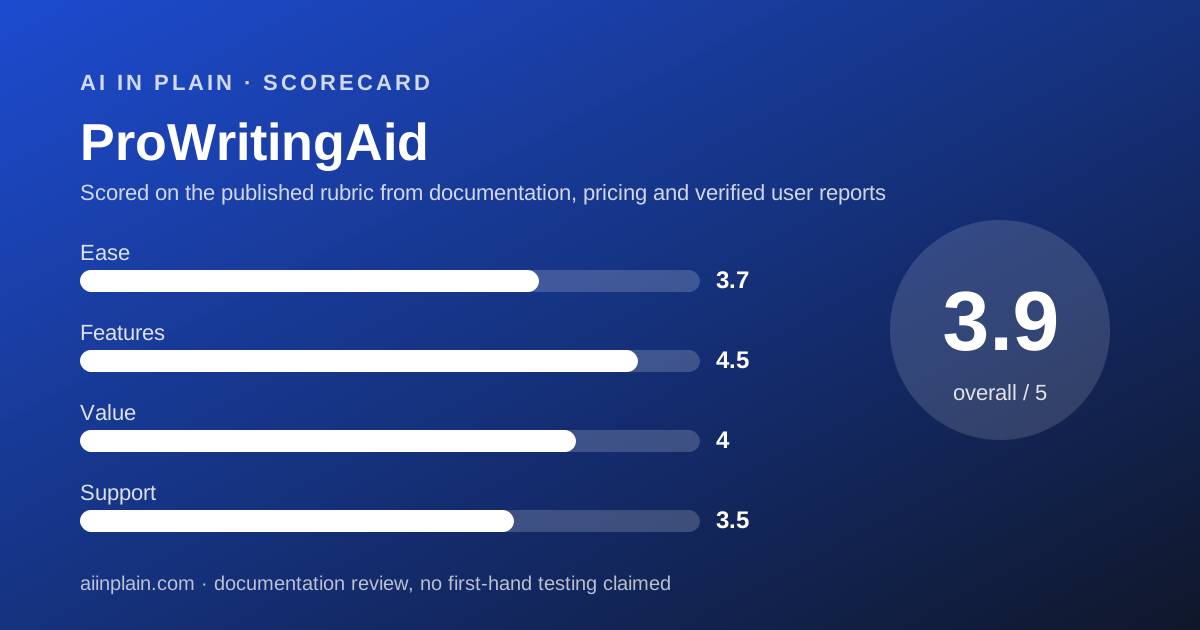
ProWritingAid is the editor for people whose problem is a 60,000-word manuscript or a 40-page report, not a two-line email. Its selling point is the report: Premium lists 25 or more writing analysis reports on pacing, repetition, readability, sticky sentences and more. This is a documentation review built from the pricing page, the homepage and Trustpilot, all checked October 10, 2026; nothing here is a first-hand usage claim. The pricing has three shapes. Premium is $30 billed monthly, $10 a month billed yearly at $120, or $399 once for life. Premium Pro adds daily critique and workshop access at $36, $12 a month yearly at $144, or $699 for life. The free plan is real but tight: suggestions for 500 words at a time, 2 report runs a day, 10 rephrases a day. What it lacks is a team layer, which the pricing page does not list, and the frictionless feel of a tool built for short writing. Trustpilot shows 4.2 from 737 reviews. ProWritingAid earns 3.9 overall: best in this cluster on features, good on value, average on ease and support.
Visit ProWritingAid
We have no affiliate relationship with this vendor. Link goes to the official site.
Where it is strong
- Premium lists 25 or more writing analysis reports, a custom style guide and unlimited document storage, per the pricing page checked October 10, 2026
- Three ways to pay: $30 monthly, $10 a month billed yearly ($120), or $399 once for a lifetime licence
- Integrations named on the homepage include Word, Office, Google Docs, Scrivener, Chrome, Edge, Firefox, Windows and Mac desktop apps, Apple Notes, Notion, Pages, Atticus and Milanote
- Refund window of three days on yearly and lifetime plans, stated on the pricing page
- Trustpilot shows 4.2 from 737 reviews, with 81 percent four- or five-star as of October 10, 2026
Where it falls short
- Free plan gives suggestions for only 500 words at a time, with 2 report runs and 10 rephrases a day
- No team plan, seat management or SSO is listed on the pricing page
- Monthly billing is $30, three times the yearly rate, and monthly plans carry no refund
- Some AI features run on a separate Story Credits system that Trustpilot reviewers describe as confusing
- The privacy policy could not be read on October 10, 2026, so the training and retention position is unverified here
At a glance
| Starting price | Free; Premium $10/month billed yearly ($120), $30 monthly, $399 lifetime |
|---|---|
| Pricing note | Free; Premium from $10/month billed yearly ($120), $30 monthly, or $399 lifetime (pricing page, checked October 10, 2026) |
| Free plan | Yes - suggestions for 500 words at a time, 2 report runs per day, 10 rephrases, 3 Sparks and 3 Creative Nudges per day |
| Reports | 25+ writing analysis reports on Premium (pricing page, October 2026) |
| Seat minimum | Not applicable; no team plan listed |
| Trial | No paid-plan trial; Free plan plus a 3-day refund on yearly and lifetime purchases |
| Platforms | Word, Office, Google Docs, Scrivener, Chrome, Edge, Firefox, Windows and Mac desktop, Apple Notes, Notion, Pages, Atticus, Milanote |
| Support channels | Email (hello@prowritingaid.com) and help pages; no response times published |
| Refunds | Within three days of purchase on yearly and lifetime plans; none on monthly |
What ProWritingAid actually is
ProWritingAid is an editing tool built around reports. You load a document, run a report, and get a list: every sentence over 40 words, every adverb, every phrase you repeated within 200 words, a readability grade per paragraph. Then you fix what you agree with.
That is a different shape from a checker that underlines as you type. Grammar and spelling checks are included, but the homepage, checked October 10, 2026, describes the product as built by writers for writers and says its AI features assist rather than write text for you.
The audience shows in the integrations. Alongside Word, Google Docs and the browser extensions, the homepage lists Scrivener, Atticus, Apple Pages, Notion and Milanote. Scrivener and Atticus are book-writing tools; a vendor that integrates with them is selling to authors.
The homepage claims 100,000 writers and lists bestselling authors as users. Those are vendor claims and we have not verified them.
Two newer layers sit on top of the reports: AI rephrasing, counted per day, and a critique feature that reads a chapter and comments on it. Both are metered on every plan, and the heavier use of the critique feature is what separates Premium from Premium Pro.
Who ProWritingAid is best for
ProWritingAid suits people editing something long enough that a report is more useful than a red underline.
- Novelists and memoirists who draft in Scrivener, Atticus or Word and want a structural pass before a human editor.
- Students writing a thesis or dissertation who need readability and repetition reports across 80 pages.
- Report and proposal writers who want a consistent house style enforced by a custom style guide.
- Self-published authors who would rather pay $399 once than subscribe for years.
- Writers who already use Google Docs or Notion and want the editor inside those tools.
- Careful buyers who want a three-day refund window on an annual purchase.
Who should skip it
Three groups should look elsewhere.
- Teams - there is no seat, admin or SSO story on the pricing page; Grammarly Pro has one at $12 a month.
- Short-form writers who want sentence rewrites in Gmail; Wordtune is cheaper and simpler.
- Anyone who wants to pay monthly - $30 a month with no refund is the least attractive way to buy this product.
What the free tier and each plan includes (as of October 2026)
Free costs $0 and is tight by design. The pricing page, checked October 10, 2026, lists 2 runs per line-editing report a day excluding Story Critiques, 10 rephrases a day, 3 Sparks a day, 3 Creative Nudges a day, Story Canvas, grammar and spelling checks, Word Explorer and Thesaurus, and 40 or more document types. Suggestions are limited to 500 words at a time.
The 500-word window is the practical limit. You can paste a chapter, but the tool will only mark up a 500-word slice of it at once. For deciding whether you like the reports, that is enough; for editing a book, it is not.
Premium includes everything in Free plus unlimited report runs and unlimited rephrases, 1 Chapter Critique a day, 5 Sparks a day, 9 Creative Nudges a day, advanced style improvements, a custom style guide, 25 or more writing analysis reports, customisable suggestions, a custom dictionary, comparison against 90 fiction authors, comment and share, unlimited document storage, and up to 40 percent off Story Credits.
Premium Pro includes everything in Premium plus 30 Chapter Critiques a day, 50 Sparks a day, 15 Creative Nudges a day, weekly live workshops, a library of 200 or more on-demand workshops, daily cowriting sprints, group critique sessions, networking events, guided writing challenges, and up to 65 percent off Story Credits.
Story Credits are a separate currency for some AI features. The pricing page mentions discounts on them but does not list a price per credit, so we cannot say what a heavy critique user would spend beyond the subscription. The vendor does not publish this figure on the pricing page.
No team plan appears on the pricing page. There is no mention of seats, admin controls, central billing or single sign-on. A company that wants ProWritingAid for five writers buys five individual licences.
How the pricing is structured
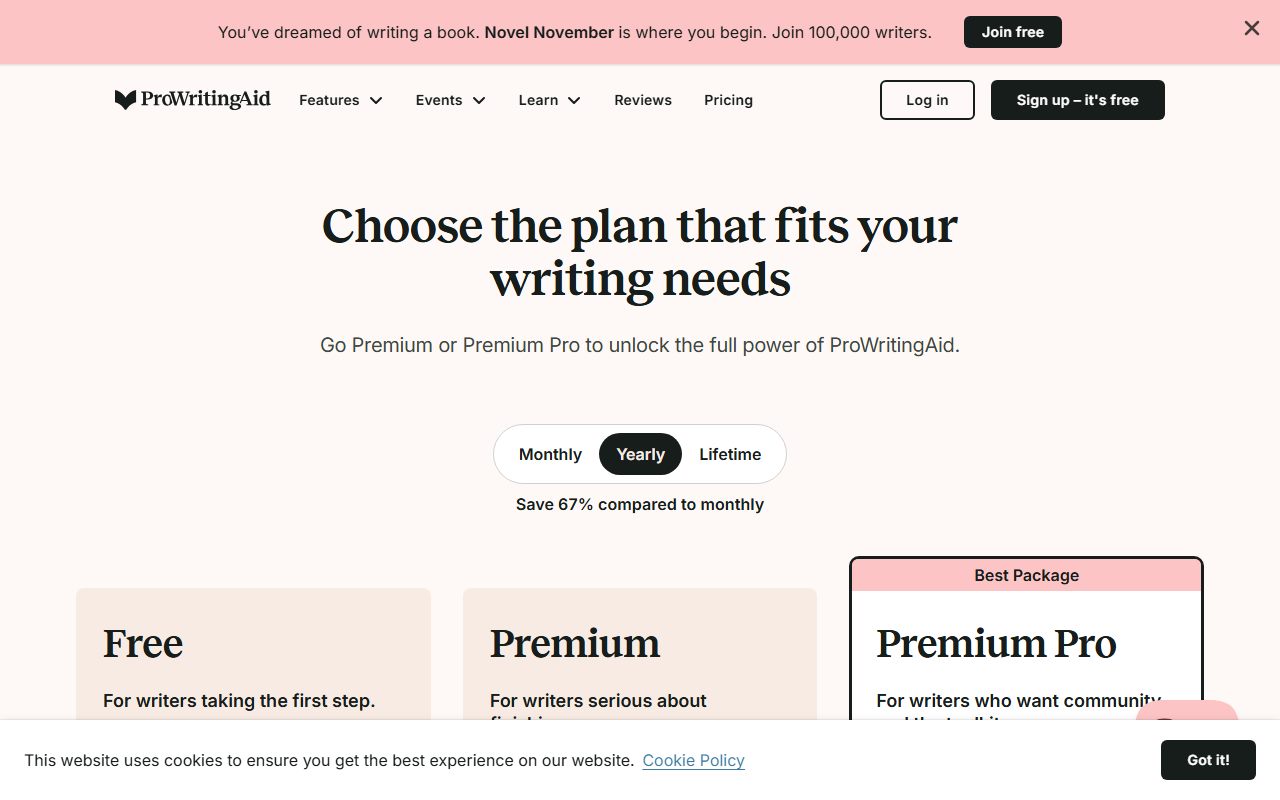
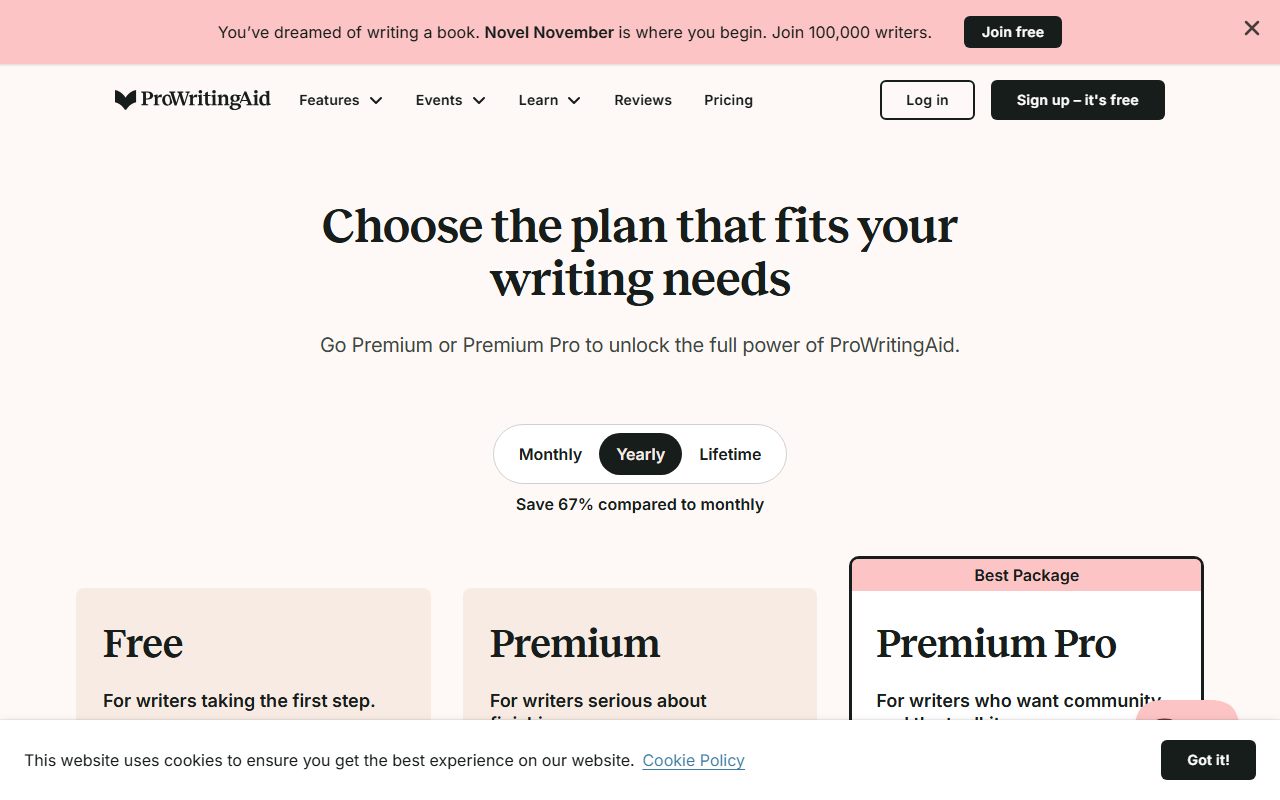
ProWritingAid sells the same Premium product three ways, and the spread between them is wide. Per the pricing page checked October 10, 2026: $30 a month billed monthly, $10 a month billed yearly as a single $120 charge, or $399 once for a lifetime licence.
In plain terms, monthly costs three times the yearly rate. A year of monthly billing is $360 against $120 up front. That is our arithmetic.
Premium Pro follows the same pattern: $36 monthly, $12 a month billed yearly at $144, or $699 lifetime. The extra $24 a year on the yearly plan buys the higher daily AI allowances and the workshop programme, not better editing reports.
The lifetime price pays back against the yearly price in about 3.3 years for Premium ($399 divided by $120) and about 4.9 years for Premium Pro ($699 divided by $144). Those are editorial calculations. A writer who has used an editor for the last four years is a reasonable candidate; a first-time buyer is not.
There is no free trial of the paid plans. The pricing page's answer is the Free plan plus a refund rule: contact hello@prowritingaid.com within three days of purchase on a yearly or lifetime plan. Cancelling by itself does not produce a refund, and monthly plans are never refunded.
For a team of 10, the only route is 10 Premium licences: $1,200 a year on yearly billing, or $3,990 once on lifetime, by our arithmetic. There is no volume discount on the page, and no one can administer the other nine accounts. If you later move on, our guide to getting your data out before you cancel covers exporting stored documents.
Ease of use: what the 3.7 is built from
ProWritingAid is easy to install and harder to use well. The integration list on the homepage is the longest in this cluster, so getting it into Word, Docs, Scrivener or a browser is one step.
The difficulty is the report model itself. Twenty-five reports is a lot of buttons, and a new user has to learn which three matter for their kind of writing. Trustpilot reviewers as of October 10, 2026 praise the interface as easy and also complain that a redesigned layout is harder to use and that suggestions can be repetitive or distracting.
The free plan's 500-word window makes the first session feel cramped, and the absence of a paid trial means the first real test costs money, with three days to decide.
Once the reports are chosen, the loop is simple: run, read, fix. For the AI rephrase and critique features, phrasing a clear request still matters; our note on asking an AI tool for what you want applies.
Features: what the 4.5 is built from
This is where ProWritingAid leads the cluster. The pricing page lists 25 or more writing analysis reports, a custom style guide, a custom dictionary, comparison against 90 fiction authors, 40 or more document types and unlimited document storage on Premium, as of October 10, 2026.
No other tool we graded offers a style report, a pacing report, a sticky-sentence report and a repeat-phrase report in one place. For a long document, those catch the problems a grammar checker cannot see because they live across pages, not inside a sentence.
The AI layer is competent but metered. One Chapter Critique a day on Premium is meaningful for a novelist and irrelevant for a report writer. Rephrases are unlimited on paid plans, which matches Wordtune Unlimited on that single feature.
Two gaps keep it from a perfect score. There is no plagiarism checker on the pricing page, where Grammarly Pro lists one. And the team features that Grammarly bundles at $12, such as shared snippets and analytics, do not exist here at any price.
Value: what the 4.0 is built from
On yearly billing ProWritingAid Premium is $10 a month, which undercuts Grammarly Pro at $12 while offering more reports and more integrations. For a solo long-form writer that is the best value in the cluster.
The lifetime option strengthens the case for committed users. Nothing else here can be bought once. After roughly 3.3 years the $399 licence is cheaper than any subscription, by our arithmetic from the pricing page checked October 10, 2026.
The score comes down for two reasons. Monthly billing at $30 with no refund is poor value, and the only way to try the paid product is to buy it and ask for a refund within three days. And Story Credits add a second, unpriced meter on top of the subscription for some AI features, which Trustpilot reviewers describe as an upsell.
Against Wordtune, the comparison is apples to oranges: Wordtune is cheaper and does one thing; ProWritingAid costs more and does twenty-five.
Support: what the 3.5 is built from
The pricing page names an email address for refunds and the site has help pages, but the vendor publishes no response times, no live chat and no phone line for any plan. Premium Pro's live workshops are community, not support.
Trustpilot, checked October 10, 2026, shows 4.2 from 737 reviews, with 58 percent five-star, 23 percent four-star and 9 percent one-star. Fast, helpful support appears in the praise; billing disputes and slow fixes for bugs in the Word and Chrome add-ins appear in the complaints.
The balance is better than Grammarly's 3.1 on a much larger sample and roughly level with Wordtune's 4.1. We score it 3.5: responsive by reputation, undocumented by policy.
What verified users report
Trustpilot's 737 reviews break down as 58 percent five-star, 23 percent four-star, 7 percent three-star, 3 percent two-star and 9 percent one-star as of October 10, 2026. The TrustScore is 4.2, labelled Great.
Praise centres on the interface, time saved on spelling and grammar, the Word integration, the style and rephrasing suggestions, the value of the free version, and features like beta-reader reports.
Complaints centre on price: Premium is seen as expensive, and the separate credit system for some AI features is called confusing or an upsell. Reviewers also report the add-in stopping in Word or Chrome with slow fixes, suggestions that repeat or miss, and a redesigned layout some find harder.
Trustpilot does not fact-check reviews, and we did not read G2 or Capterra for this review. The themes are a guide to what to test in your three-day window, not a measurement.
Limits stated by the vendor, and privacy
The published limits are the free plan's 500-word window and daily caps, the daily AI allowances on each paid plan (1, 5 and 9 on Premium; 30, 50 and 15 on Premium Pro), the three-day refund window, and the no-refund rule on monthly plans and Story Credits.
On privacy we have a gap to disclose. The ProWritingAid privacy policy page could not be read on October 10, 2026 (the URL we tried returned an error), so we cannot state whether your documents are used to train models, how long they are kept, or which third-party AI providers process the AI features.
The pricing page does say Premium includes unlimited document storage, which implies documents you upload to the web editor are stored on the vendor's servers until you remove them. Writers handling confidential manuscripts or client reports should read the policy themselves before uploading.
Whatever the tool suggests, it is still a suggestion. A report that flags a long sentence is not always right that the sentence should be shorter, and an AI critique can misread intent. Our guide to checking an AI answer before you pass it on applies to critiques as much as to chat replies.
Alternatives
Grammarly. Choose Grammarly if you write short pieces across many apps all day, or if you need a team layer with shared snippets and analytics. Otherwise choose ProWritingAid if your work is long documents and you want reports, a lifetime price and a refund window. The row-by-row version is Grammarly vs ProWritingAid.
Wordtune. Choose Wordtune if all you want is unlimited sentence rewrites in a browser for $6.99 a month on annual billing. Otherwise choose ProWritingAid, which includes unlimited rephrases on paid plans and adds everything else.
A general assistant. For a first draft rather than an edit, a chat assistant with a prompt that gets a usable first draft is the cheaper tool; ProWritingAid is for the pass after that. All three tools are ranked in our guide to the best AI writing assistants for everyday work.
Bottom line
ProWritingAid is the best editor in this cluster for long documents and the only one you can buy outright. Pay yearly at $120 or, if you have been editing for years, consider the $399 lifetime licence; use the three-day refund window as your trial.
It is not a team product, it is not a quick rewriter, and we could not verify its privacy terms. Short-form writers and teams should look at Wordtune or Grammarly.
This is a documentation review. Prices, caps and policies come from ProWritingAid's own pages and Trustpilot as read on October 10, 2026, and may have changed since.
Buy it if
- You edit long documents - the 25-plus reports are built for manuscripts, theses and reports, not chat messages.
- You would rather own than rent - $399 for a lifetime Premium licence is unique among the tools we graded.
- You write in Scrivener, Atticus or Google Docs - all three are named integrations on the homepage.
- You want a refund window - three days on yearly and lifetime plans is more than Wordtune offers and clearer than Grammarly.
Skip it if
- You are buying for a team - no seats, no admin, no SSO on the pricing page; Grammarly Pro includes team features at $12.
- You mostly write short messages - a quick rewriter like Wordtune does that job for $6.99 a month.
- You need a free plan for daily work - 500 words at a time and 2 report runs a day is a sample, not a workspace.
Frequently asked
Is ProWritingAid free?
There is a free plan. It gives suggestions for 500 words at a time, 2 runs per line-editing report a day, 10 rephrases, 3 Sparks and 3 Creative Nudges a day, plus grammar and spelling checks, per the pricing page checked October 10, 2026. It is meant for trying the tool, not for finishing a book.
How much does ProWritingAid Premium cost?
Premium is $30 a month billed monthly, $10 a month billed yearly at $120, or $399 as a one-time lifetime purchase, per the pricing page checked October 10, 2026. Premium Pro is $36 monthly, $12 a month yearly at $144, or $699 lifetime.
Is the ProWritingAid lifetime plan worth it?
By our arithmetic, $399 equals 3.3 years of Premium at the $120 yearly rate. A writer who expects to use it for four years or more pays less with lifetime. The risk is the vendor changing the product or the licence terms; the pricing page does not say what lifetime covers if plans are renamed.
Does ProWritingAid offer refunds?
Yes, within three days of purchase on yearly and lifetime plans, by contacting hello@prowritingaid.com. Cancelling alone does not trigger a refund. Monthly plans are not refundable; you can turn off auto-renew at any time. Story Credits purchases are nonrefundable.
Does ProWritingAid work in Word and Google Docs?
The homepage checked October 10, 2026 names Microsoft Word, Microsoft Office, Google Docs, Scrivener, Chrome, Edge and Firefox extensions, Windows and Mac desktop apps, and Apple Notes, Notion, Apple Pages, Atticus and Milanote. That is the widest integration list for a writing editor in our cluster.
What is the difference between Premium and Premium Pro?
Premium Pro raises the daily AI allowances to 30 Chapter Critiques, 50 Sparks and 15 Creative Nudges, against 1, 5 and 9 on Premium, and adds weekly live workshops, 200 or more on-demand workshops, cowriting sprints and critique groups, per the pricing page. The editing reports are the same on both.
Sources
- ProWritingAid pricing page - checked October 10, 2026
- ProWritingAid homepage (integrations) - checked October 10, 2026
- Trustpilot: ProWritingAid reviews - checked October 10, 2026
Update history
- October 10, 2026 - First published from the pricing page, homepage and Trustpilot, checked October 10, 2026. Privacy policy could not be read on that date.
Visit ProWritingAid
We have no affiliate relationship with this vendor. Link goes to the official site.