Grammarly vs ProWritingAid (2026): which fits your writing
Short answer: Grammarly is the better buy if your writing is short and scattered across email, chat, forms and docs all day, and if you are buying for a small team; Pro is $12 a month per member billed annually. ProWritingAid is the better buy if you edit long documents and want structural reports, a lifetime licence or a three-day refund; Premium is $10 a month billed yearly or $399 once. This comparison is built from both pricing pages, both homepages, Grammarly's trust page and Trustpilot, all checked October 10, 2026, not from first-hand use. Our full Grammarly review and ProWritingAid review have the plan-by-plan detail.
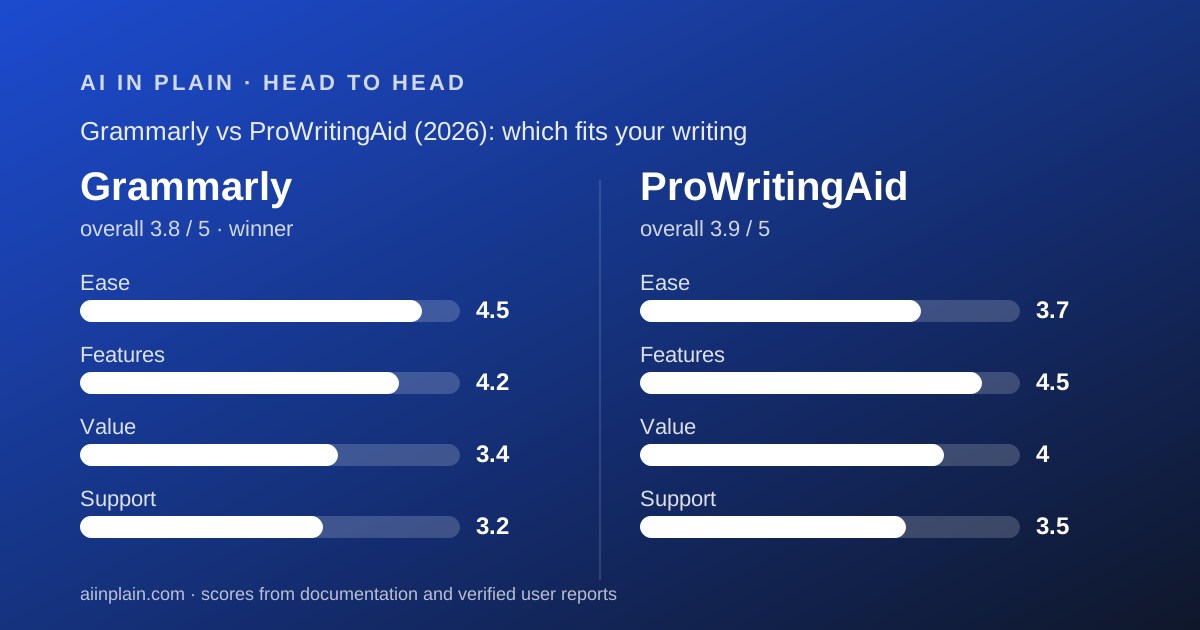
 3.8Grammarly
 3.9ProWritingAid
Specification by specification
| Spec | Grammarly | ProWritingAid |
|---|---|---|
| Entry paid price (annual billing) | $12/member/month (Pro) | $10/month (Premium, $120/year) |
| Entry paid price (monthly billing) | $30/month | $30/month |
| One-time purchase | Not offered | $399 lifetime (Premium); $699 (Premium Pro) |
| Free plan | Yes: grammar, tone visibility, 100 AI prompts/month | Yes: 500 words at a time, 2 report runs and 10 rephrases/day |
| Trial of paid plan | 7 days, $0 today, reminder email | None; 3-day refund on yearly and lifetime |
| Refund policy | Pro-rated refund when switching from Premium to Pro; no general window stated | 3 days on yearly/lifetime by email; none on monthly |
| Generative cap | 2,000 AI prompts/member/month on Pro | Unlimited rephrases; 1 Chapter Critique, 5 Sparks, 9 Nudges per day on Premium |
| Analysis reports | Not a report model; inline suggestions and tone | 25+ writing analysis reports on Premium |
| Plagiarism / AI-text detection | Both included in Pro | Not listed on pricing page |
| Team features | Snippets, Knowledge Share, Team Analytics, roles; 1 style guide, 2 user groups on Pro | None listed; individual licences only |
| SSO / SCIM | Enterprise only, via Superhuman Go, no published price | Not offered |
| Platforms named | Windows, Mac, Chrome, Safari, Firefox, Edge, MS Office, Google Docs, iOS, Android | Word, Office, Google Docs, Scrivener, Chrome, Edge, Firefox, Windows, Mac, Apple Notes, Notion, Pages, Atticus, Milanote |
| Training on your text | On by default; opt out in account settings (trust page) | Privacy policy could not be read on October 10, 2026 |
| Trustpilot (October 10, 2026) | 3.1 from 10,472 reviews | 4.2 from 737 reviews |
| Our overall score | 3.8 (ease 4.5, features 4.2, value 3.4, support 3.2) | 3.9 (ease 3.7, features 4.5, value 4.0, support 3.5) |
The short answer
Two tools that look alike on a feature list and are built for different days.
- Grammarly is best for short writing in many apps, teams of two to twenty, and anyone who needs plagiarism and AI-text checks alongside grammar.
- ProWritingAid is best for long documents, authors in Scrivener or Atticus, and buyers who want a lifetime licence or a refund window.
- Winner for most readers of this site: Grammarly, because most people's writing problem is the next email, not the next chapter. ProWritingAid scores higher on our rubric overall, and if you write long, it is the better tool.
How this comparison was made
We read the Grammarly plans, premium, business pricing and trust pages, the ProWritingAid pricing page, both homepages for platform lists, and both Trustpilot listings, all on October 10, 2026. We did not run either product; grades come from what the vendors publish and what verified reviewers report.
Each tool is scored out of 5 on four pillars: ease, features, value and support, weighted equally. The pillar scores are the ones from our two full reviews, and the arithmetic in this page (annual totals, team costs, payback periods) is ours, built from the published prices.
Where a vendor does not publish a figure, the table says so. ProWritingAid's privacy policy could not be read on the day we checked, and that gap is marked rather than filled in.
Grammarly is easier to start; ProWritingAid is easier to buy outright
Grammarly wins the first hour. Its free plan needs no card, its Pro trial is seven days with nothing charged today and a reminder email two days before the end, per the plans page checked October 10, 2026. Its homepage lists apps for Windows, Mac, four browsers, MS Office, Google Docs, iPhone, iPad and Android, so it is almost certainly already where you type.
ProWritingAid has no paid trial. The pricing page's answer is the free plan, which marks up 500 words at a time, and a three-day refund on yearly and lifetime purchases if you write to hello@prowritingaid.com. That is a real safety net, but it means the first proper test costs money.
ProWritingAid wins the long run on ownership. It is the only tool in this cluster you can buy once: $399 for Premium for life. Grammarly is subscription only.
On day-to-day ease, Grammarly's inline underline is simpler than ProWritingAid's report menu. Twenty-five reports is powerful and also a learning curve; Trustpilot reviewers for ProWritingAid mention a redesigned layout being harder, while Grammarly reviewers mention pop-ups interrupting writing. Both complaints are about friction, from opposite directions.
Pricing: ProWritingAid costs less for one writer, Grammarly for a team
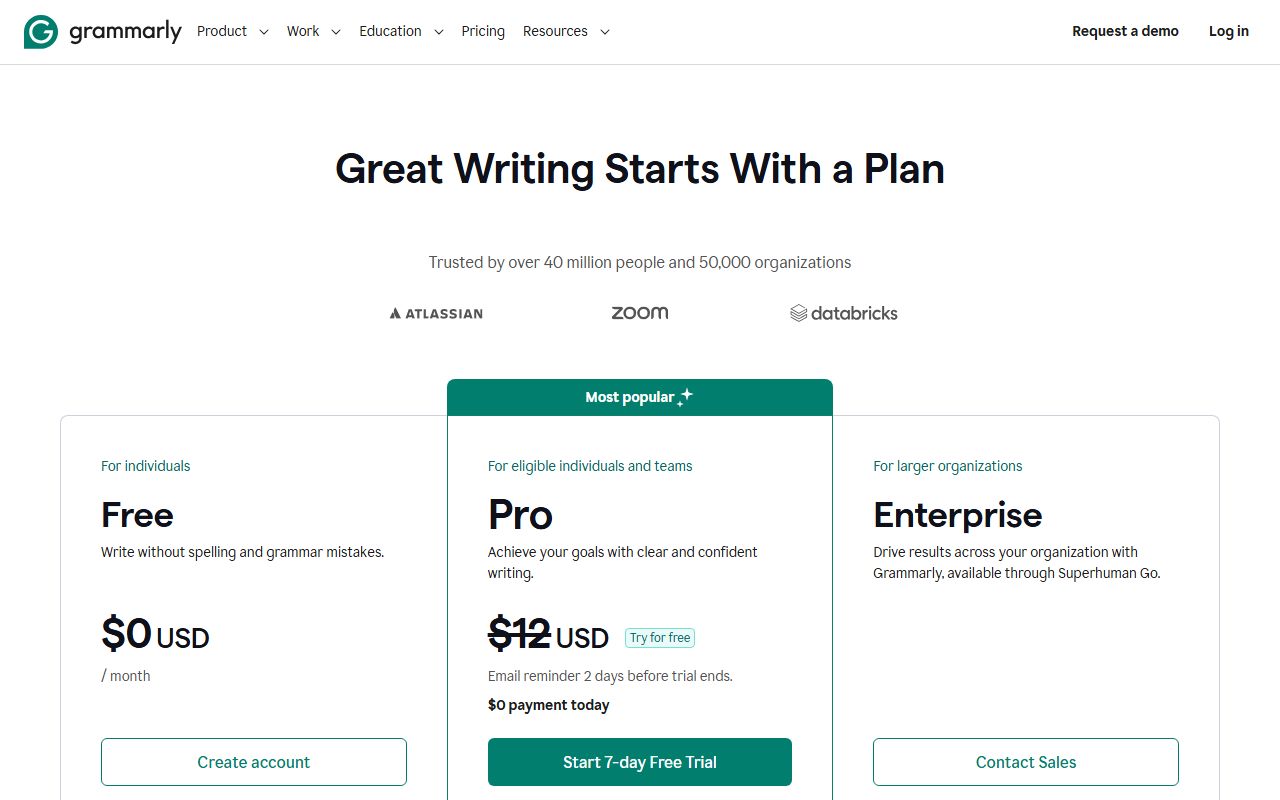
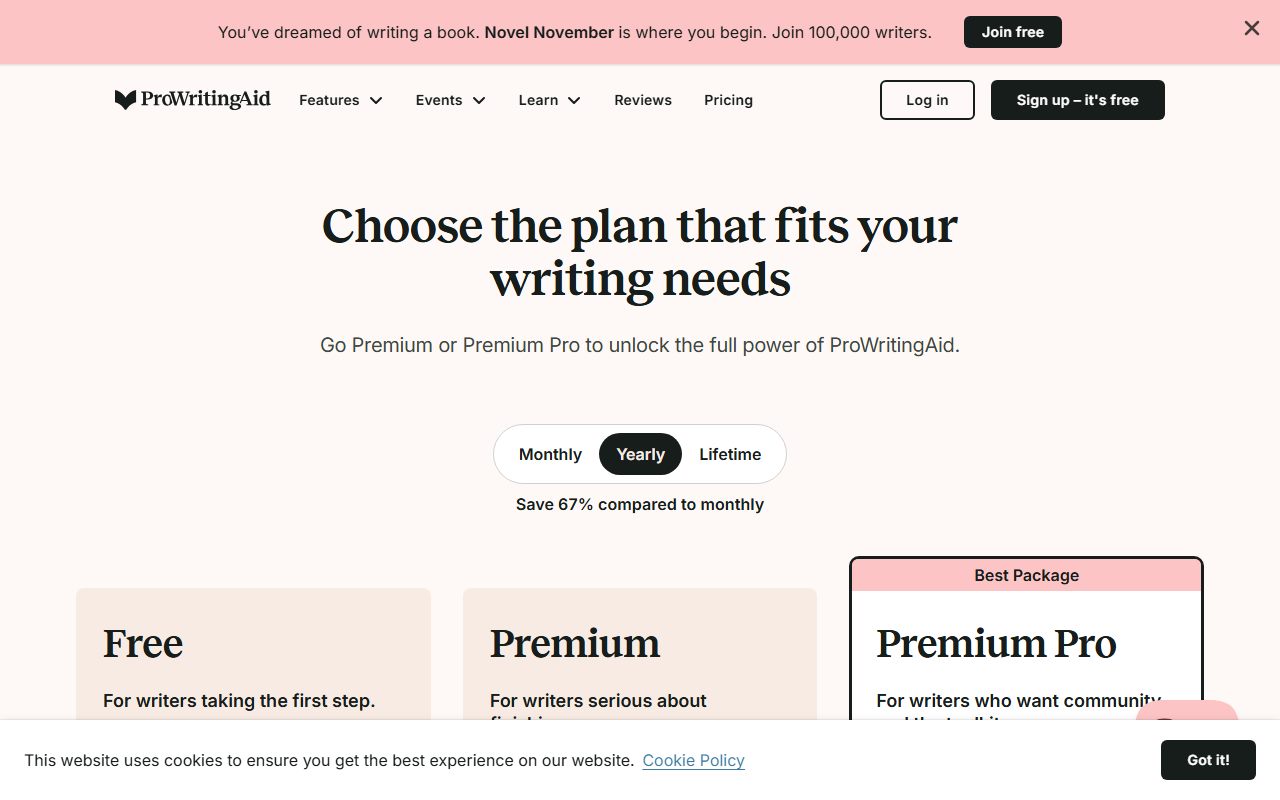
For a single writer on annual billing, ProWritingAid is cheaper: Premium is $10 a month billed yearly as $120, against Grammarly Pro at $12 a month billed annually, $144 a year, per both pricing pages checked October 10, 2026. On monthly billing both are $30, which makes monthly the wrong way to buy either.
For a team the picture flips, not on price per head but on what the price buys. Ten Grammarly Pro members cost $1,440 a year and come with snippets, Knowledge Share, Team Analytics, roles, one style guide and two user groups. Ten ProWritingAid Premium licences cost $1,200 a year and come with ten unrelated accounts, no admin and no shared anything. Both totals are our arithmetic.
For a team of 10 or more on an annual plan, Grammarly will issue an invoice, per its plans page FAQ. ProWritingAid's pricing page says nothing about invoices or volume.
The lifetime maths matters for committed solo writers. $399 divided by $120 is about 3.3 years, so a writer who expects to keep editing for four years or more pays less with the lifetime licence. There is no equivalent on the Grammarly side.
Both vendors meter the generative features, differently. Grammarly counts AI prompts: 100 a month on Free, 2,000 per member on Pro. ProWritingAid gives unlimited rephrases on paid plans but counts the heavier AI features per day (1 Chapter Critique, 5 Sparks, 9 Creative Nudges on Premium) and sells some through a separate Story Credits currency whose per-credit price is not on the pricing page.
Neither tool publishes an overage price for its main meter. If you hit the Grammarly prompt cap or the ProWritingAid daily caps, the vendor does not say what happens beyond waiting.
Features: ProWritingAid goes deeper, Grammarly goes wider
ProWritingAid's Premium feature list, checked October 10, 2026, is built for structure: 25 or more writing analysis reports, a custom style guide, a custom dictionary, comparison against 90 fiction authors, 40 or more document types and unlimited document storage. Nothing on Grammarly's plans page looks at pacing, sticky sentences or repeated phrases across a whole manuscript.
Grammarly Pro's list is built for breadth: full-sentence rewrites, tone adjustment, fluency, plagiarism detection, AI-text detection, inclusive language, citation consistency, plus the team layer. Plagiarism and AI-text detection are the two items a student or editor will miss on ProWritingAid, whose pricing page does not list either.
The integration lists overlap more than the feature lists. Both name Word, Google Docs, Chrome, Edge, Firefox and desktop apps. Grammarly adds Safari, iOS and Android; ProWritingAid adds Scrivener, Atticus, Apple Notes, Notion, Pages and Milanote. Phone writers lean Grammarly; book writers lean ProWritingAid.
On the generative side, the designs differ. Grammarly's 2,000 prompts a month is a large, flat allowance that most proofreaders never reach. ProWritingAid's unlimited rephrases plus one Chapter Critique a day suits a novelist's rhythm and means little to an email writer.
For either tool, the output is a suggestion rather than a fact. How to check an AI answer before you pass it on is worth a read before you accept a full-sentence rewrite in a client document.
Support: both undocumented, ProWritingAid better reviewed
Neither vendor publishes response times, a phone line or live chat for self-serve plans. Grammarly's plans page lists help center on Free, priority support on Pro and dedicated support on Enterprise, without defining any of them. ProWritingAid's pricing page offers an email address and the site has help pages.
The public signal favours ProWritingAid. Trustpilot shows 4.2 from 737 reviews for ProWritingAid against 3.1 from 10,472 for Grammarly, both checked October 10, 2026. Grammarly's one-star reviews cluster around renewal charges, cancellation and automated replies; ProWritingAid's cluster around price, the credit system and add-in bugs.
Sample size cuts both ways. Grammarly's score rests on fourteen times as many reviews, which makes its pattern harder to dismiss; ProWritingAid's smaller sample is less stable. We score Grammarly 3.2 and ProWritingAid 3.5 on support.
What users report, side by side
Grammarly's 10,472 Trustpilot reviews as of October 10, 2026 split 68 percent five-star and 9 percent one-star. Praise: basic grammar and typo catches, time saved, easy trial, usefulness for academic work. Complaints: unexpected renewal prices, refused refunds, cancellation friction, upgrade pop-ups, confusion over the Superhuman Go rollout, rewrites that change too much.
ProWritingAid's 737 reviews split 58 percent five-star, 23 percent four-star and 9 percent one-star. Praise: easy interface, grammar checks that save time, the Word integration, style suggestions, the free version, beta-reader reports. Complaints: Premium price, a separate credit system that feels like an upsell, add-ins stopping in Word or Chrome, repetitive suggestions, a harder redesigned layout.
Read together, the pattern is that Grammarly's friction is commercial and ProWritingAid's is technical. Neither vendor's reviewers complain much about the core checking. Trustpilot does not fact-check reviews and we did not read G2 or Capterra for this page.
Privacy: Grammarly publishes a position, ProWritingAid's could not be read
Grammarly's trust page, checked October 10, 2026, says you can opt out of allowing Grammarly to use your content to train its models by turning off Product Improvement and Training in account settings. In plain terms, training is on until you switch it off. Documents in the Grammarly Editor are kept until you delete them or the account.
The same page says Grammarly maintains annual security certifications and links to a post about SOC 2 and ISO, without naming certifications in its body text. HIPAA is not mentioned. SSO, SCIM, data loss prevention and an Audit Logs API are Enterprise features.
ProWritingAid's privacy policy returned an error at the URL we tried on October 10, 2026, so we cannot say whether uploaded documents are used for training, how long they are retained, or which third-party AI providers process the AI features. The pricing page's unlimited document storage on Premium implies documents live on the vendor's servers until removed.
For confidential work, that difference matters more than any feature. A vendor whose policy you can read and whose opt-out is a setting is in a stronger position than one whose policy you could not load. Read it yourself before uploading a manuscript or a client report.
Switching between them is easy, because neither holds much
Both tools work mostly inside documents you already own in Word, Docs or a browser, so there is little to migrate. What each stores is the documents you chose to upload to its web editor, plus settings such as custom dictionaries and style guides.
Leaving Grammarly means deleting documents from the Grammarly Editor and cancelling before renewal; the plans page gives no general refund window, so timing matters. Leaving ProWritingAid means downloading anything in its unlimited document storage, turning off auto-renew, and remembering that monthly plans and Story Credits are not refundable.
A custom style guide does not export from one to the other in any format the vendors describe. Expect to rebuild it. Our guide to getting your data out before you cancel has the general checklist.
Running both is a legitimate option for a writer who edits a book in ProWritingAid and answers email with Grammarly Free. The free plans do not conflict, and the combined annual cost of ProWritingAid Premium plus Grammarly Free is $120.
Choose Grammarly if
Grammarly is the right pick when the writing is short and the places are many.
- You write in email, chat, forms and docs all day - eleven named platforms, including Safari, iOS and Android, versus none of those three for ProWritingAid.
- You are buying for a team - Pro bundles snippets, analytics and roles at $12 a month per member on annual billing.
- You need plagiarism or AI-text detection - both are in Pro; neither is on ProWritingAid's pricing page.
- You want to try before paying - 7-day trial with nothing charged today.
Choose ProWritingAid if
ProWritingAid is the right pick when the document is long and the writer is one person.
- You edit manuscripts, theses or long reports - 25 or more analysis reports look across pages, not just inside sentences.
- You would rather own than subscribe - $399 lifetime pays back against yearly billing in about 3.3 years, by our arithmetic.
- You draft in Scrivener, Atticus, Notion or Pages - all named integrations; Grammarly's homepage names none of them.
- You want a stated refund window - three days on yearly and lifetime plans, in writing on the pricing page.
Bottom line
Grammarly wins for most readers because most writing is short, scattered and shared with colleagues, and Grammarly's platform list and team layer are built for exactly that. Pay annually at $12 and turn the training setting off on day one.
ProWritingAid scores higher on our rubric and is the better tool for anyone whose writing comes in chapters. Pay $120 for a year or $399 once, use the three-day refund window as your trial, and read the privacy policy yourself since we could not.
If your real need is cheap sentence rewrites rather than either of these, Wordtune sells unlimited rewrites for $6.99 a month on annual billing. All three are ranked in our guide to the best AI writing assistants for everyday work. For meeting notes rather than prose, see our note-taker comparison instead.
This page is a documentation comparison. Every price and policy above comes from the vendors' own pages and Trustpilot as read on October 10, 2026, and may have changed since.
Frequently asked
Which is cheaper, Grammarly or ProWritingAid?
For one writer on annual billing, ProWritingAid: Premium is $120 a year against Grammarly Pro at $144, per both pricing pages checked October 10, 2026. On monthly billing both are $30. ProWritingAid also sells a $399 lifetime licence, which Grammarly does not match.
Which is better for a team of 10?
Grammarly. Ten Pro members cost $1,440 a year on annual billing and include snippets, Team Analytics, roles and invoicing for 10 or more. Ten ProWritingAid licences cost $1,200 a year but are ten separate accounts with no admin or shared features. Both totals are our arithmetic.
Does ProWritingAid check plagiarism like Grammarly?
Grammarly Pro lists plagiarism detection and AI-text detection on its plans page as of October 10, 2026. ProWritingAid's pricing page lists neither. Students and editors who need those checks should count that as a point for Grammarly.
Can I use Grammarly and ProWritingAid together?
Yes. Both offer free plans, both work inside Word, Google Docs and Chrome, and neither stores much you would need to migrate. A common split is ProWritingAid Premium for long edits and Grammarly Free for daily email, which costs $120 a year in total.
Which one uses my writing to train AI?
Grammarly's trust page says training is on unless you turn off Product Improvement and Training in settings. ProWritingAid's privacy policy could not be read on October 10, 2026, so its position is unverified here. Check it before uploading confidential documents.
Sources
- Grammarly plans page - checked October 10, 2026
- Grammarly premium page - checked October 10, 2026
- Grammarly trust page - checked October 10, 2026
- ProWritingAid pricing page - checked October 10, 2026
- ProWritingAid homepage - checked October 10, 2026
- Trustpilot: Grammarly - checked October 10, 2026
- Trustpilot: ProWritingAid - checked October 10, 2026
Visit Grammarly
We have no affiliate relationship with this vendor. Link goes to the official site.
Visit ProWritingAid
We have no affiliate relationship with this vendor. Link goes to the official site.