The 3 best AI writing assistants for everyday work (2026)
Short answer: for most people doing ordinary work writing, the best AI writing assistant is Grammarly, because it runs in more places than anything else and its $12-a-month Pro plan on annual billing covers a small team as well as one person. Pick ProWritingAid instead if your writing comes in chapters and you want 25 or more analysis reports, a $399 lifetime licence and a three-day refund. Pick Wordtune if all you want is unlimited sentence rewrites in a browser for $6.99 a month on annual billing. We compared three pricing pages, three homepages, one trust page and three Trustpilot listings, all checked October 10, 2026; see [how we picked](#how-we-picked) for the rubric.
Our picks
- Best overall for everyday writing: Grammarly
- Best for long documents and lifetime buyers: ProWritingAid
- Best cheap rewriter for browser writing: Wordtune
The best AI writing assistants at a glance
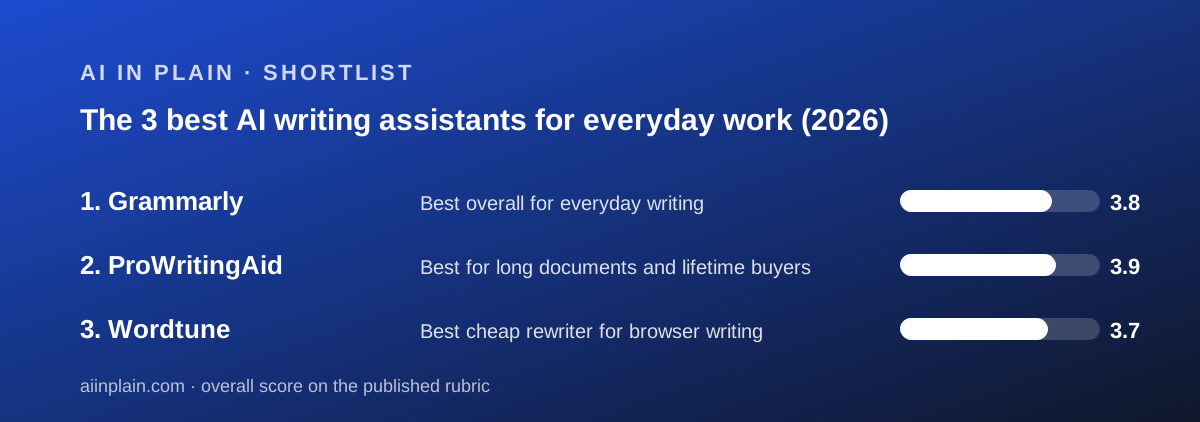
Three tools, three billing designs. The quickest way to choose is to decide what you are paying to remove: a cap on AI prompts, a cap on words per pass, or a cap on rewrites per day.
- Grammarly - best overall for everyday writing: $12 per member per month billed annually, eleven named platforms, team features included; AI prompts are the limit.
- ProWritingAid - best for long documents and lifetime buyers: $10 a month billed yearly or $399 once, 25 or more reports; daily AI allowances are the limit.
- Wordtune - best cheap rewriter for browser writing: $6.99 a month billed annually with no caps; platforms and refunds are the limit.
Prices and limits side by side (as of October 2026)
All figures are from the vendors' pricing pages and homepages checked October 10, 2026. Annual billing shown first; monthly billing is higher on every tool that labels it.
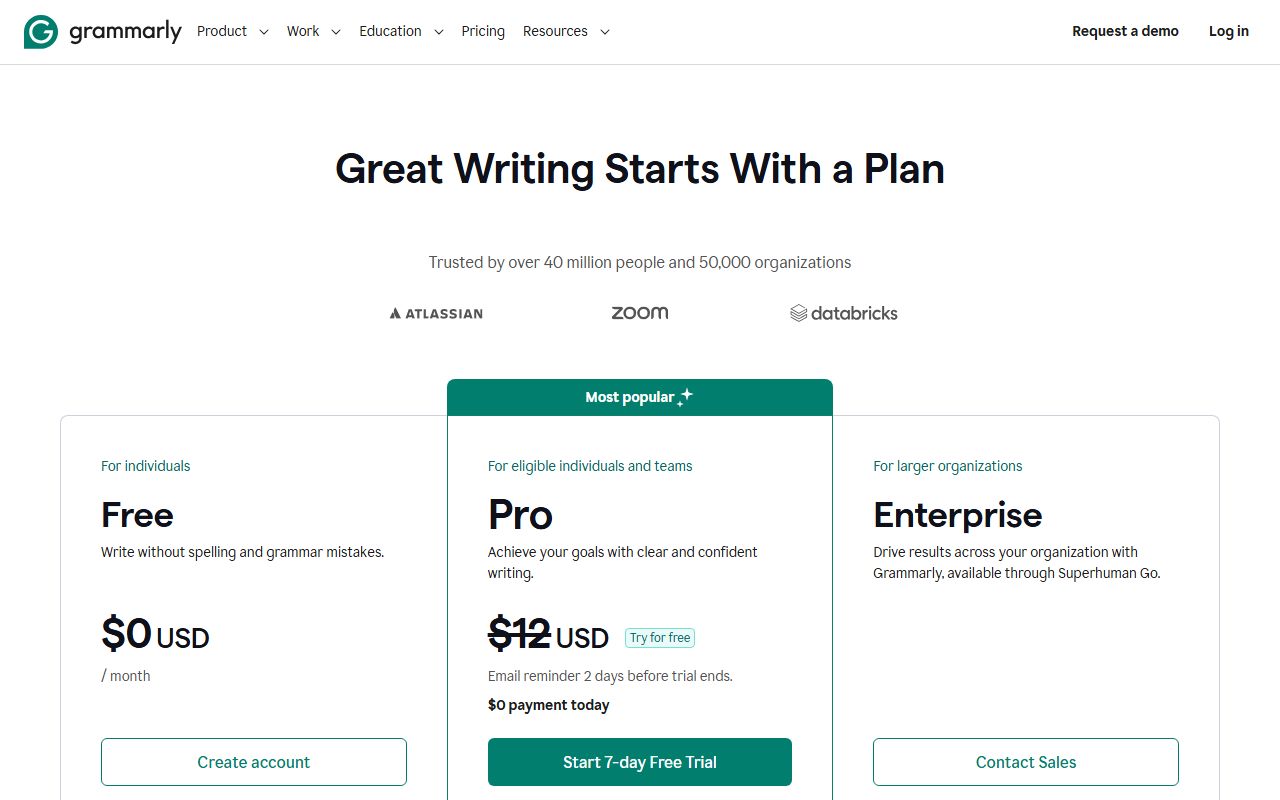
- Entry paid price, annual: Grammarly Pro $12 per member per month; ProWritingAid Premium $10 per month ($120 a year); Wordtune Unlimited $6.99 per month.
- Entry paid price, monthly: Grammarly $30; ProWritingAid $30; Wordtune shows $9.99 struck through without a clear label.
- One-time option: only ProWritingAid, at $399 for Premium and $699 for Premium Pro.
- Free plan: Grammarly 100 AI prompts a month plus unlimited grammar; ProWritingAid 500 words at a time and 2 report runs a day; Wordtune 10 rewrites a day and 3 summaries a month.
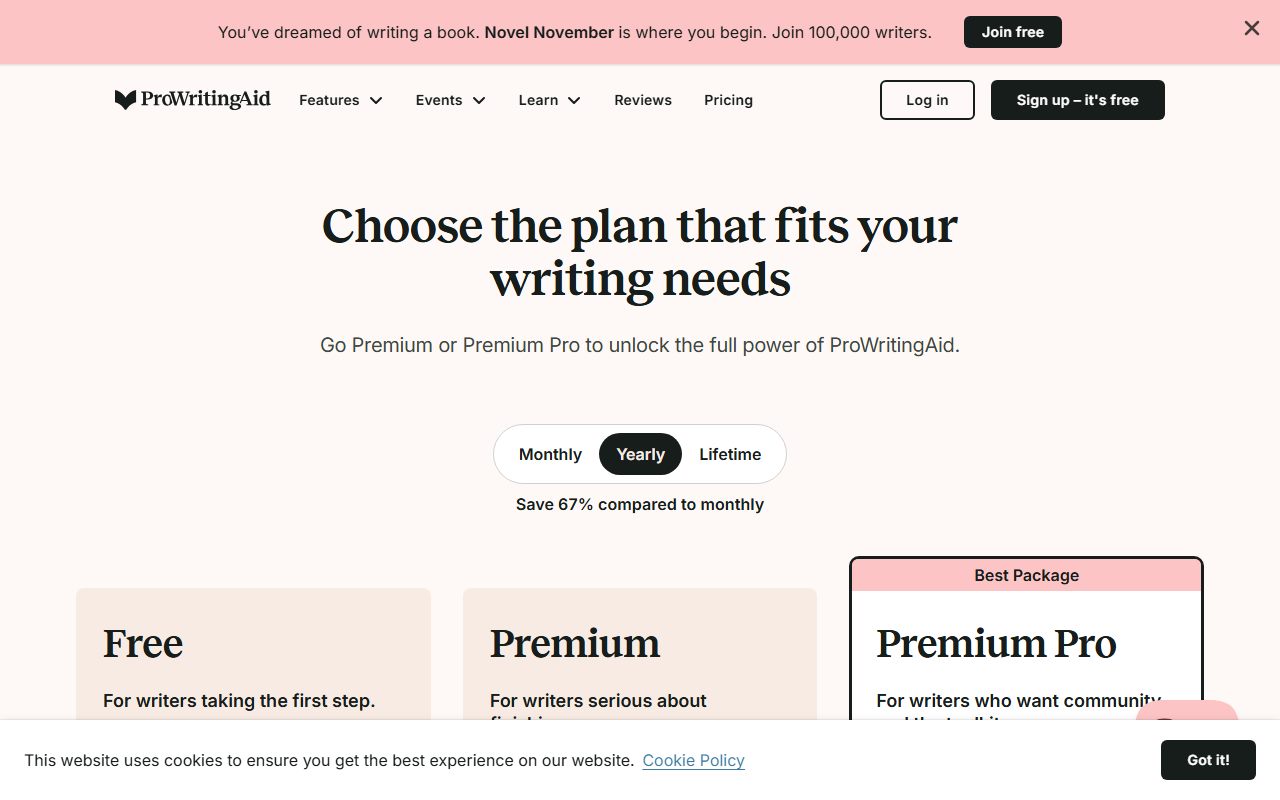
- Trial of the paid plan: Grammarly 7 days; ProWritingAid none, but a 3-day refund on yearly and lifetime; Wordtune 3 days, no refunds.
- Generative cap on the entry paid plan: Grammarly 2,000 prompts per member per month; ProWritingAid unlimited rephrases plus 1 critique, 5 Sparks and 9 nudges a day; Wordtune unlimited.
- Plagiarism and AI-text detection: Grammarly Pro yes; ProWritingAid not listed; Wordtune not listed.
- Team plan with a price: Grammarly yes (Pro); ProWritingAid no; Wordtune no.
- Platforms named: Grammarly eleven including Safari, iOS and Android; ProWritingAid fourteen including Scrivener, Atticus and Notion; Wordtune three (Chrome, Edge, iOS).
- Trustpilot: Grammarly 3.1 from 10,472 reviews; ProWritingAid 4.2 from 737; Wordtune 4.1 from 582.
How we picked
We did not run tests of our own; grades come from documentation, pricing pages and verified user reports checked on October 10, 2026. Each tool is scored out of 5 on ease, features, value and support, weighted equally, and the scores below are the ones from the three full reviews linked above.
Ease counts where the tool runs. A writing assistant that is not present in the app where you type is not easy, however clean its own editor is. We counted the platforms each homepage names and read the trial terms.
Features count what the pricing page lists, not what marketing implies. Reports, rewrite modes, detection tools, team controls and integrations all had to appear on a vendor page to be scored.
Value counts the annual price and the exits. Monthly premiums, refund windows and the usefulness of the free plan all moved the score. A cheap plan with no refund is worth less than its sticker suggests.
Support counts what is written down and what reviewers report. None of the three vendors publishes response times, so Trustpilot themes carried more weight here than elsewhere.
We left out one obvious name. QuillBot's pricing page and help center both returned HTTP 403 errors when we tried to read them on October 10, 2026. Rather than quote prices from memory or from third parties, we excluded it and will add it when its pages can be read.
Best overall for everyday writing: Grammarly
Grammarly earns the top spot by being where the writing is. The homepage checked October 10, 2026 names apps for Windows and Mac, extensions for Chrome, Safari, Firefox and Edge, add-ins for MS Office and Google Docs, and apps for iPhone, iPad and Android. No other tool in this cluster comes close to that list.
The free plan is a real plan: spelling and grammar, tone visibility and 100 AI prompts a month, no card. For someone who wants typos caught in Gmail and Slack, it may be the only plan they ever need.
Pro is $12 per member per month billed annually or $30 billed monthly, per the premium page. It adds full-sentence rewrites, tone adjustment, fluency suggestions, plagiarism and AI-text detection, inclusive language, citation consistency and 2,000 AI prompts per member per month, with a 7-day trial.
The same Pro plan carries a team layer: snippets, Knowledge Share, Team Analytics and account roles, with one style guide, one brand tone and two user groups. That is why a small office can buy Grammarly without an enterprise call, and why it ranks above a tool with a deeper feature list.
The weaknesses are price flexibility and billing reputation. Monthly billing costs two and a half times the annual rate, by our arithmetic. Trustpilot shows 3.1 from 10,472 reviews, with renewals, cancellation and pop-ups the common complaints. And the trust page says model training is on until you turn off Product Improvement and Training in settings.
Why it sits at #1. It is the only tool here that is present across desktop, four browsers, Office, Docs and both phone platforms, and the only one whose entry paid plan includes team features. ProWritingAid scores slightly higher on our rubric overall, but for the everyday writing this guide is about, breadth beats depth.
Read our full Grammarly review. Deciding between Grammarly and ProWritingAid? Read Grammarly vs ProWritingAid.
Best for long documents and lifetime buyers: ProWritingAid
ProWritingAid is the tool to buy when the thing you are editing is long. Premium lists 25 or more writing analysis reports, a custom style guide, a custom dictionary, comparison against 90 fiction authors, 40 or more document types and unlimited document storage, per the pricing page checked October 10, 2026.
Those reports look across a whole document for problems a sentence-level checker cannot see: pacing, repeated phrases, sticky sentences, readability by paragraph. For a novel, a thesis or a 40-page report, that is the editing pass that matters.
The pricing has three shapes. Premium is $30 billed monthly, $10 a month billed yearly as a single $120 charge, or $399 once for a lifetime licence. Premium Pro adds 30 Chapter Critiques, 50 Sparks and 15 Creative Nudges a day plus workshops at $36 monthly, $144 yearly or $699 lifetime.
The lifetime price pays back against yearly billing in about 3.3 years, by our arithmetic. There is no paid trial, but yearly and lifetime purchases can be refunded within three days by emailing the vendor, which is more than Wordtune offers and clearer than Grammarly.
The limits are a tight free plan (500 words at a time, 2 report runs a day), no team plan or SSO on the pricing page, no plagiarism checker listed, a separate Story Credits currency for some AI features, and a privacy policy we could not load on the day we checked. Trustpilot shows 4.2 from 737 reviews.
Why it sits at #2. It has the best features score and the best solo price in the cluster, and it would be #1 in a guide about editing books. In a guide about everyday work, the missing team layer, the missing plagiarism check and the narrower everyday fit keep it just below Grammarly. It sits above Wordtune because it does everything Wordtune does on paid plans, plus the reports.
Read our full ProWritingAid review. The head-to-head with Grammarly is in Grammarly vs ProWritingAid.
Best cheap rewriter for browser writing: Wordtune
Wordtune does one job and prices it below everyone else. Highlight a sentence and get several rewrites in different tones; the homepage checked October 10, 2026 adds a summariser for text and video and includes spelling and grammar on every plan.
Basic is free with 10 rewrites and AI suggestions a day and 3 AI summarizations a month. Advanced is $4.89 a month billed annually with 30 rewrites a day and 15 summaries a month. Unlimited is $6.99 a month billed annually with no caps and premium support, per the plans page. Both paid plans have a 3-day trial.
At $83.88 a year by our arithmetic, Unlimited is the cheapest uncapped plan in this guide and undercuts Grammarly Pro by $60 a year and ProWritingAid Premium by $36. For a non-native English writer who wants several fluent versions of each sentence, that is a strong case.
The weaknesses are coverage and exits. The homepage names only a Chrome extension, an Edge extension and an iOS app; Word, Google Docs and Android are absent. The plans page says there are no refunds, so the 3-day trial is the only way out. SAML SSO and central billing appear in the feature table attached to no plan. The privacy policy's opt-out from content aggregation is an email address, not a setting.
Why it sits at #3. It beats the other two on price per rewrite and loses to both on everything around the rewrite: platforms, refunds, teams, reports and detection tools. For browser-only writers it may still be the right first purchase; for everyday work across apps, it is the narrowest fit.
Read our full Wordtune review.
Also compared (did not make the cut)
QuillBot would normally appear in a list like this. Its pricing page and its help center both returned HTTP 403 errors when we tried to read them on October 10, 2026. We do not publish prices we cannot verify on the day, so it is excluded until the pages can be read.
General chat assistants are a different category and are not ranked here. For many people a chat assistant plus a prompt that gets a usable first draft replaces the drafting half of a writing assistant, leaving a free checker to handle the correcting half.
How to choose an AI writing assistant
Start with where you type, not what the tool does. List the three apps you write in most. If they include a phone, Safari or Google Docs, Grammarly is the only tool here that names all three. If they include Scrivener or Atticus, it is ProWritingAid. If it is just Chrome, any of the three will be present.
Decide whether you correct or rewrite. A checker tells you what is wrong; a rewriter offers other ways to say it. People writing in a second language often get more from rewrites, which argues for Wordtune or Grammarly Pro. People editing their own long drafts get more from reports, which argues for ProWritingAid.
Count the meter you will actually hit. Grammarly meters AI prompts at 2,000 a month on Pro, which few proofreaders reach. ProWritingAid meters critiques per day. Wordtune meters rewrites per day on free and Advanced. Match the meter to your habit, not to the biggest number.
Never pay monthly for these tools. Grammarly and ProWritingAid both charge $30 a month against $12 and $10 on annual billing. If you cannot commit to a year, use the free plan for a month first and decide then.
Read the exit before the entrance. Wordtune has no refunds. ProWritingAid refunds yearly and lifetime purchases within three days by email. Grammarly states a 7-day trial and no general window. Our guide to getting your data out before you cancel covers what to download first.
Check the training setting on day one. Grammarly's is on until you turn it off in settings. Wordtune's opt-out is an email to the vendor. ProWritingAid's policy could not be read. For client or medical text, that order of preference is as important as any feature.
Frequently asked
Which AI writing assistant is best for a small team? Grammarly. Its Pro plan at $12 per member per month billed annually includes snippets, Knowledge Share, Team Analytics and roles, per the plans page checked October 10, 2026, and invoices are available for annual plans of 10 or more members. Neither ProWritingAid nor Wordtune lists a priced team plan.
Which is cheapest? On annual billing, Wordtune Unlimited at $6.99 a month, then ProWritingAid Premium at $10, then Grammarly Pro at $12. Over a year that is $83.88, $120 and $144 by our arithmetic. ProWritingAid's $399 lifetime licence becomes the cheapest after about 3.3 years.
Do any of them have a good free plan? Grammarly's is the most usable: unlimited grammar and spelling across all its platforms plus 100 AI prompts a month. Wordtune's 10 rewrites a day is a fair taste. ProWritingAid's 500-word window is a demonstration, not a workspace.
Which one checks plagiarism? Only Grammarly lists plagiarism detection and AI-text detection, both on Pro, as of October 10, 2026. ProWritingAid's pricing page and Wordtune's plans page do not list either.
Can I trust the rewrites? Treat every rewrite as a suggestion. A fluent paraphrase can drop a qualifier or shift a meaning, and none of these tools claims otherwise. How to check an AI answer before you pass it on is a two-minute habit that applies here.
How do I get better rewrites from any of them? Give the tool a clear intent: who the reader is and what the sentence must keep. Our plain-English note on asking an AI tool for what you want covers the habit in one page.
Bottom line
Buy Grammarly if your writing is short and everywhere; pay annually at $12 and turn the training setting off. Buy ProWritingAid if your writing is long; pay $120 for a year or $399 once and use the three-day refund as your trial. Buy Wordtune if you only want cheap unlimited rewrites in a browser and will remember to cancel on day two.
If what you need is not a writing assistant at all but a tool to turn meetings into notes, that is a different category; start with our guide to the best AI meeting note-takers for small teams.
Last checked October 10, 2026. What changed: first published. Prices, caps and policies above come from the vendors' own pages and Trustpilot as read on that date, and may have changed since.
Best overall for everyday writing: Grammarly
Grammarly is the checker that follows you around. Its homepage names apps for Windows and Mac, extensions for Chrome, Safari, Firefox and Edge, add-ins for MS Office and Google Docs, and apps for iPhone, iPad and Android, as of October 10, 2026. Free includes grammar, tone visibility and 100 AI prompts a month. Pro is $12 per member per month billed annually or $30 monthly, per the premium page, and includes full-sentence rewrites, tone adjustment, plagiarism and AI-text detection, 2,000 AI prompts per member, and a team layer of snippets, Knowledge Share, Team Analytics and roles. The limits are one style guide, one brand tone and two user groups on Pro, and a training setting that is on until you turn it off. Trustpilot shows 3.1 from 10,472 reviews, mostly billing complaints.
It sits at #1 because everyday writing happens in many apps and Grammarly is the only tool here that names eleven of them, and because Pro is the only plan in the cluster that covers a team without an enterprise call.
Visit Grammarly
We have no affiliate relationship with this vendor. Link goes to the official site.
Best for long documents and lifetime buyers: ProWritingAid
ProWritingAid is built around reports rather than underlines. Premium lists 25 or more writing analysis reports, a custom style guide, a custom dictionary, comparison against 90 fiction authors and unlimited document storage, per the pricing page checked October 10, 2026. It costs $30 billed monthly, $10 a month billed yearly as $120, or $399 once for life; Premium Pro adds heavier daily AI allowances and workshops at $36, $144 a year or $699 lifetime. The free plan marks up 500 words at a time with 2 report runs a day. Integrations include Word, Google Docs, Scrivener, Atticus, Notion and Pages. There is no team plan, no plagiarism checker on the pricing page, and we could not read the privacy policy. Trustpilot shows 4.2 from 737 reviews.
It sits at #2, above Wordtune and only just below Grammarly, because it has the deepest feature set and the best solo-writer price in the cluster, but no team story and a narrower everyday fit.
Visit ProWritingAid
We have no affiliate relationship with this vendor. Link goes to the official site.
Best cheap rewriter for browser writing: Wordtune
Wordtune, made by AI21 Labs, does one thing: highlight a sentence and get several rewrites. Basic is free with 10 rewrites and AI suggestions a day and 3 AI summaries a month. Advanced is $4.89 a month billed annually with 30 rewrites a day and 15 summaries a month. Unlimited is $6.99 a month billed annually with no caps and premium support, per the plans page checked October 10, 2026. Both paid plans have a 3-day trial and there are no refunds. The homepage names only Chrome, Edge and iOS as platforms, there is no priced team plan, and the privacy policy's training opt-out is an email address. Trustpilot shows 4.1 from 582 reviews, with rewrite quality the common praise.
It sits at #3 because it is the cheapest uncapped plan here and the easiest to recommend to a browser-based writer, but three platforms, no refunds and no team path keep it below the other two for general work.
Visit Wordtune
We have no affiliate relationship with this vendor. Link goes to the official site.
How we chose
We did not run tests of our own; grades come from documentation, pricing pages and verified user reports checked on October 10, 2026. Each tool is scored out of 5 on four pillars, weighted equally.
Ease measures how fast a new user gets to a useful correction: free plan without a card, trial terms, how many platforms the vendor names, and how simple the core interaction is.
Features measures what the paid plan actually lists: rewrite types, reports, plagiarism and AI-text detection, team tools, integrations.
Value measures the annual price against what it buys, with monthly-billing penalties, refund terms and free-plan usefulness counted.
Support measures published channels and response commitments, weighted by what Trustpilot reviewers report about billing and help.
Where a vendor does not publish a figure, we say so rather than estimate. Prices are quoted as of the day checked and may have changed.
Frequently asked
Which AI writing assistant is best for a small team?
Grammarly. Pro at $12 per member per month billed annually includes snippets, Knowledge Share, Team Analytics and roles, per the plans page checked October 10, 2026, with invoices for annual plans of 10 or more members. ProWritingAid and Wordtune list no priced team plan.
Which is the cheapest AI writing assistant?
On annual billing, Wordtune Unlimited at $6.99 a month ($83.88 a year), then ProWritingAid Premium at $10 ($120), then Grammarly Pro at $12 ($144), by our arithmetic from the pricing pages checked October 10, 2026. ProWritingAid's $399 lifetime licence becomes cheapest after about 3.3 years.
Which has the best free plan?
Grammarly: unlimited grammar and spelling across all its named platforms plus 100 AI prompts a month, with no card. Wordtune's free plan allows 10 rewrites a day and 3 summaries a month. ProWritingAid's free plan marks up 500 words at a time with 2 report runs a day.
Which AI writing assistant checks plagiarism?
Only Grammarly lists plagiarism detection and AI-text detection, both included in Pro, as of October 10, 2026. ProWritingAid's pricing page and Wordtune's plans page do not list either feature.
Why is QuillBot not in this guide?
Its pricing page and help center returned HTTP 403 errors when we tried to read them on October 10, 2026. We only publish prices verified on the day, so QuillBot is excluded until its pages can be read.
Do these tools use my writing to train AI?
Grammarly's trust page says training is on unless you turn off Product Improvement and Training in settings. Wordtune's privacy policy allows aggregation of content to develop products, with opt-out by email. ProWritingAid's policy could not be read on October 10, 2026.
Sources
- Grammarly plans page - checked October 10, 2026
- Grammarly premium page - checked October 10, 2026
- Grammarly trust page - checked October 10, 2026
- ProWritingAid pricing page - checked October 10, 2026
- Wordtune plans page - checked October 10, 2026
- Wordtune privacy policy - checked October 10, 2026
- Trustpilot: Grammarly, ProWritingAid, Wordtune - checked October 10, 2026