
Tidio
Live chat, a help desk and a metered AI agent, priced by answered conversations
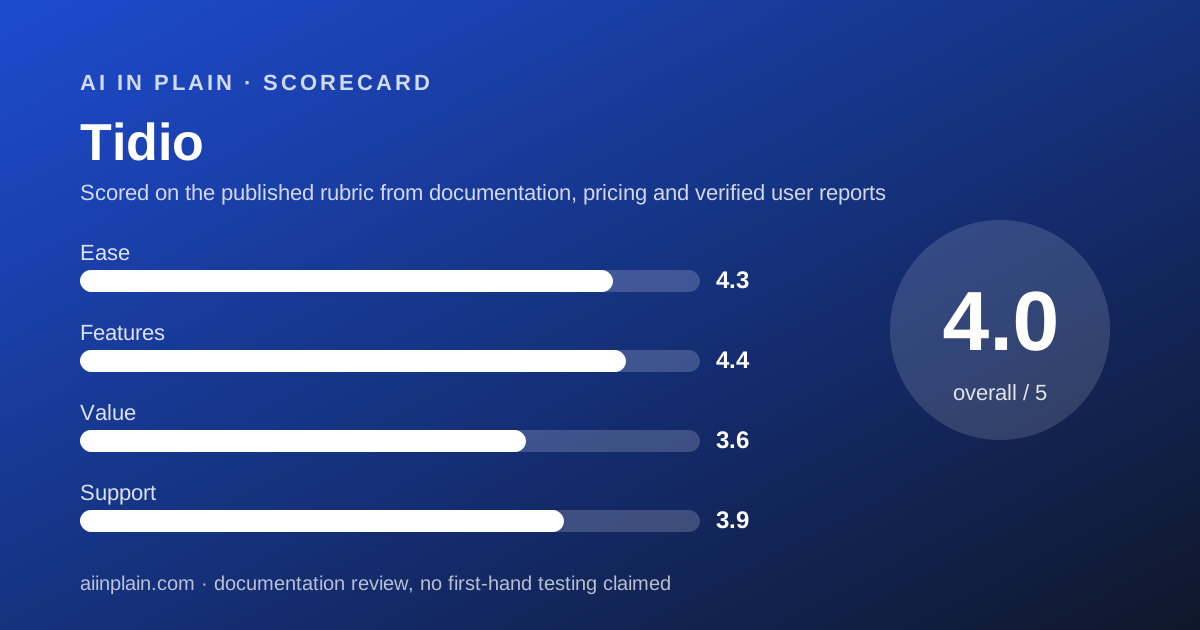
Scored on the published rubric, from documentation, pricing and verified user reports.
Best for: Online stores that can forecast their monthly chat volume and want AI as a separate, metered add-on.
Verdict
Tidio sells three things that are priced separately, and that split is the whole story of the product. There is a human inbox for live chat and tickets, an AI agent called Lyro, and a rule based builder called Flows.
The inbox plans are metered by what Tidio calls a billable conversation. Per the pricing page FAQ, a thread only becomes billable once a human on your side replies. Replies from Lyro and Flows are not counted as agent replies.
Starter is $29 a month for 100 billable conversations. Growth starts at $59 a month for 250. Lyro sits on its own ladder, from $39 a month for 50 AI conversations.
This is a documentation review. We read the pricing page, the price catalogue embedded in its HTML and the page FAQ on October 25, 2026. No paid account was opened.
The result fits a store with steady volume and frustrates a site that cannot forecast it.
Visit Tidio
We have no affiliate relationship with this vendor. Link goes to the official site.
Where it is strong
- A thread becomes billable only when a human agent replies, so spam and ignored messages cost nothing
- Ten seats are included on every self serve plan, including the free one
- The three products can be bought separately, so you can take the AI agent without moving your inbox
- The 7 day trial opens every feature of every plan and asks for no card
- Annual billing is labelled 2 months free, and the displayed annual rates match that arithmetic
Where it falls short
- The AI agent is an add-on, so an AI first setup starts at $29 plus $39 a month
- Growth hides seven internal price steps between $59 and $349, which makes budgeting awkward
- Premium is quote only; its card says Contact for pricing
- One widget's appearance and behaviour settings are shared across every site it is installed on
At a glance
| Starting price | $29/mo (Starter, 100 billable conversations) |
|---|---|
| Pricing note | From $29/mo for 100 billable conversations and 10 seats (pricing page HTML, checked October 25, 2026) |
| Free plan | Yes, 50 billable conversations a month |
| Seats included | 10 on Free, Starter and Growth; custom on Plus and Premium |
| AI pricing | Lyro add-on from $39/mo for 50 AI conversations |
| Trial | 7 days, every feature of every plan, no card required |
| Annual billing | Toggle labelled Annually (2 months free) |
| Billing unit | Billable conversation: one human reply, any number of messages |
What Tidio actually sells
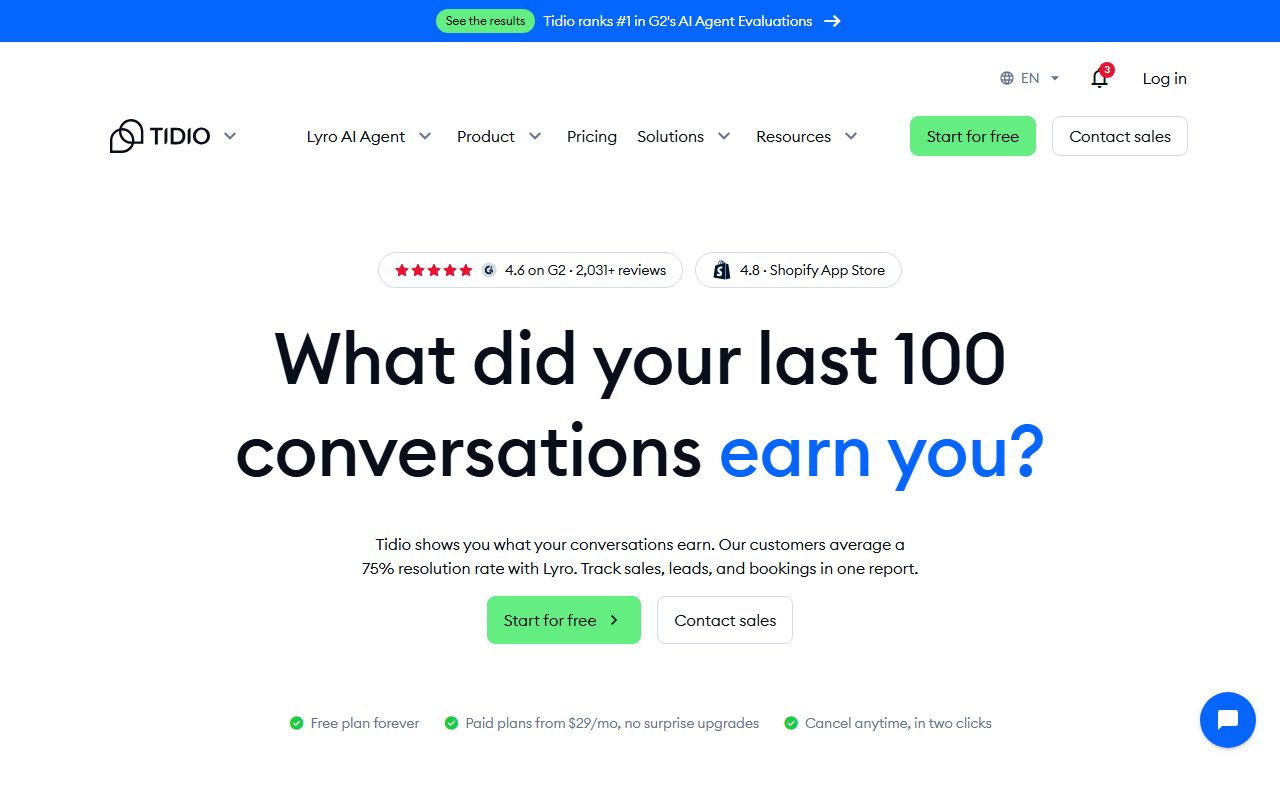
Tidio is three products behind one login, and the pricing page bills them separately. There is a human inbox for live chat and tickets, an AI agent called Lyro, and a rule based builder called Flows.
The pricing page FAQ states that each of the three can be bought on its own. So you can point Lyro at your site without moving your human inbox across.
That modularity is why the bill is hard to read at a glance. You are quoting three meters, not choosing one plan.
Who Tidio is best for
Tidio suits a site that can put a number on next month's chat volume. The meter rewards forecasting and punishes surprises.
- Online stores on Shopify or WooCommerce that answer roughly 100 to 600 chats a month
- Teams of ten agents or fewer, since every self serve plan includes ten seats
- Owners who want to try an AI agent on 50 free conversations before paying
- Sites that already have a help desk and only want the AI layer
- Shops that want proactive sales prompts as well as support replies
Who should skip it
Three groups will fight the pricing model rather than the product.
- Sites whose chat volume doubles in a promotion month without warning
- Anyone who expects AI answers to be included in the base subscription
- Operators running several brands that need different widget behaviour on each
What the free plan includes, as of October 2026
The Free plan is a real plan, not a trial. The price catalogue inside the pricing page HTML lists it at $0 with 50 billable conversations a month and ten seats.
Every new account also gets 50 Lyro AI conversations once. Per the pricing page FAQ, that allowance does not refresh monthly unless you buy a Lyro plan.
Flows on the free plan is capped at 100 unique visitors reached per month. Separately, a 7 day trial unlocks every feature of every plan with no card required.
How the pricing is structured
Every number below was read from the price catalogue embedded in the pricing page HTML on October 25, 2026, where prices are stored in cents. None of it came from a summary.
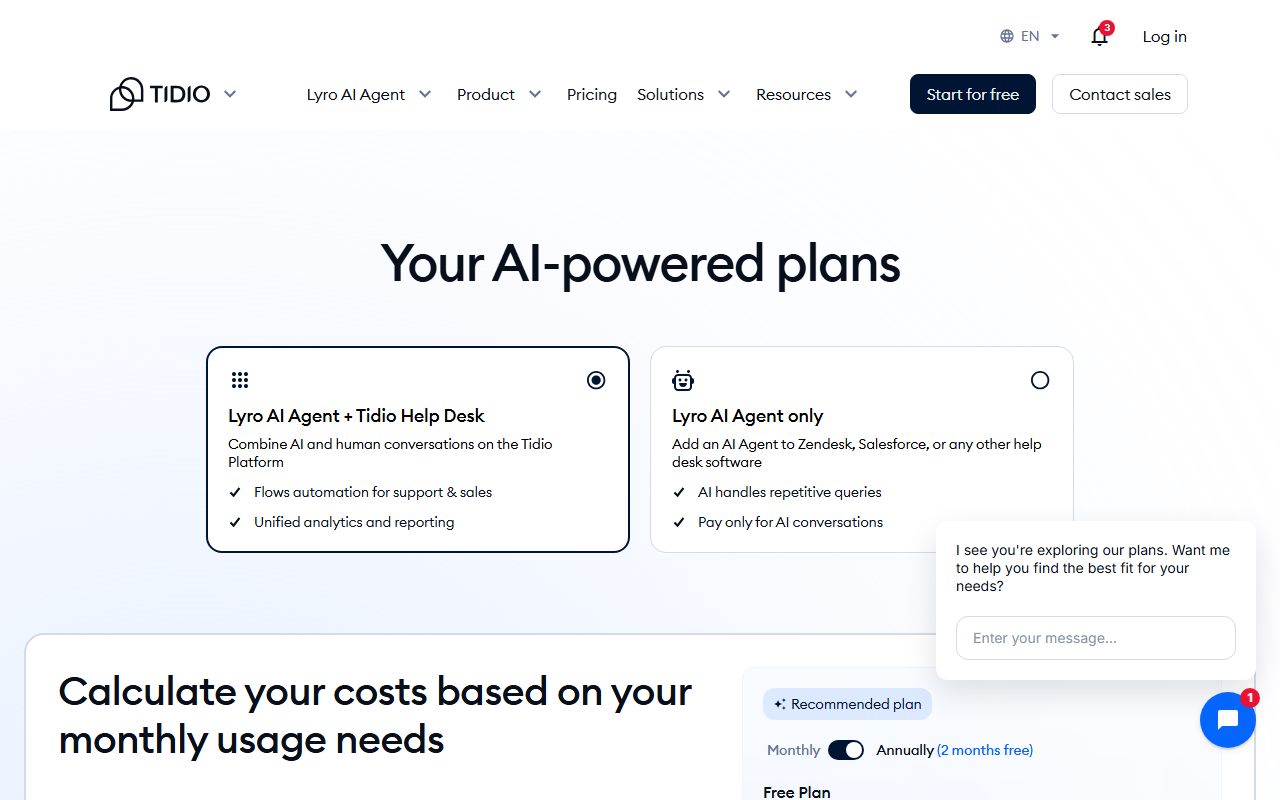
Starter is $29 a month and covers 100 billable conversations. Growth starts at $59 for 250 and then steps up inside the same plan name.
The Growth ladder reads $59 at 250 conversations, $89 at 400, $129 at 600, $159 at 800, $179 at 1,000, $249 at 1,500 and $349 at 2,000.
Plus starts at $300 a month plus usage and is sold through sales. Premium is quote only; its card says Contact for pricing.
Lyro has its own ladder: $39 for 50 AI conversations a month, $75 for 100, $110 for 150, $140 for 200, $210 for 300, $350 for 500, $525 for 750 and $700 for 1,000.
Flows is a third ladder, running from $29 for 2,000 visitors reached to $299 for 100,000.
The billing toggle reads Annually (2 months free), and the cards then show $24.17 for Starter and $49.17 for Growth. Ten twelfths of $29 is $24.17, so label and displayed rate agree. That check is ours.
What each paid tier actually adds
The feature lists on the cards are short, which helps. Starter is the inbox: live chat and ticketing, a live visitors list, operating hours, basic analytics and the live chat channels.
- Starter also carries the one-off 50 Lyro conversations and 100 Flows visitors
- Growth adds advanced analytics, user permissions, automatic chat assignment and automatic reply
- Growth also adds live typing preview, viewed pages history and macros
- Plus adds premium support, a success manager, discounted usage rates and departments
- Plus also unlocks multiproject, custom branding, OpenAPI, custom seat counts and wire transfer
- Premium adds a mobile SDK, AI insights and CSAT, a super admin role, SSO and compliance work
Flows or Lyro: the page draws the line clearly
The pricing page FAQ spends several paragraphs separating the two, which suggests the distinction confuses buyers. It is simple once stated.
Flows follows paths you draw. It starts when a visitor takes a specific action, answers predefined questions, needs manual configuration and can engage people proactively.
Lyro reads your support content and interprets the question. It handles follow-ups it was never scripted for, and it can act through integrations rather than only reply.
The page does not treat them as rivals. Flows pushes a visitor toward a purchase; Lyro clears the inbox. Most shops that buy both use them for different jobs.
One more detail worth knowing: Tidio sells Lyro Connect so the agent can sit on top of a support tool you already run. That matters if moving your inbox is not on the table.
What a billable conversation means for your bill
This definition decides whether Tidio is cheap or expensive for you. The pricing page FAQ is unusually specific about it, so it is worth reading twice.
- A thread becomes billable only when a human agent replies, or when a human starts it
- Unanswered visitor messages, including spam, never count toward the limit
- Replies from Lyro and Flows are not counted as agent replies
- One thread counts once, however many messages pass through it
- A Lyro conversation is any thread with at least one AI reply, also counted once
The cheap plan gets cheaper the more the AI handles
Read those rules together and a pattern appears. A site that lets Lyro field the easy questions can stay on a small inbox plan for a long time.
The cost simply moves across to the Lyro ladder. Which meter you feed is a design decision, not an accident of volume.
Ease of use: what the score is built from
The 4.3 covers installation and daily handling, graded from documentation rather than a stopwatch. Tidio publishes platform specific install routes for Shopify, WordPress and plain HTML, and the widget is one script.
The friction sits in the pricing model, not the interface. Choosing a plan means picking three numbers you probably do not know yet.
Writing usable instructions for the AI agent is its own skill. Our guide on writing a prompt that gets a usable first draft applies almost word for word to agent instructions.
Features: the AI agent is a separate product
Lyro answers from your own support content and can carry out recurring tasks, per the product page. Tidio states that its customers average a 75% resolution rate with Lyro, which is the vendor's own figure and not an independent measurement.
The same page carries customer claims of 89% and 83% resolution rates. Treat those as marketing until you can reproduce them on your own content.
Flows is the older rule based builder. It triggers on visitor behaviour and follows paths you draw, which makes it a conversion tool more than a support one.
Before either one answers customers unsupervised, read the output yourself. Our guide on checking an AI answer before you pass it on is the short version of that habit.
The help desk side turns email, chat and social messages into tickets and groups them by intent. Channels listed include Messenger, Instagram, WhatsApp and email.
Value: cheap at the entry, steep in the middle
At the bottom of the range Tidio is genuinely cheap. Ten seats for $29 a month is unusual, because most shared inbox tools charge per seat.
The picture changes as soon as you want AI. A site that needs a refreshing AI allowance pays $29 plus $39, so $68 a month before any growth.
That total is our arithmetic on two published ladders, not a bundle price Tidio quotes. The pricing page prints no combined figure.
The 3.6 value score reflects the gap between the headline price and the working configuration.
Support and the limits the vendor states
Email support is on every plan. Live chat support and a dedicated success manager are reserved for Plus, and Premium adds Slack support plus a managed Lyro service.
- Seats are capped at ten on Free, Starter and Growth; Plus and Premium are custom
- Plan changes take effect at the start of the next billing cycle, not on the day
- The Lyro allowance refreshes 30 days after payment, not on a calendar month
- One widget's look and behaviour settings are shared across every site it runs on
- Premium advertises a guaranteed 50% resolution rate and pay per resolution billing
What we could not read on October 25, 2026
Two figures did not resolve. The Premium card says Contact for pricing, so there is no list price to quote for that tier.
We also found no published per message cost for Lyro, only the per conversation ladder. Aggregate scores on G2 and Capterra were not reachable from this machine that day, so no user rating appears in this review.
Alternatives, and when to choose them instead
Crisp charges one flat price per workspace with no conversation cap, which suits a site that cannot forecast demand. Choose Crisp if a predictable invoice matters more than a low entry price.
Chatbase sells a trained agent metered in message credits and is not an inbox at all. Choose Chatbase if you want an agent on your own content and already have somewhere for humans to reply.
Otherwise choose Tidio when you want human replies, AI and sales prompts under one login and can live with three meters.
Plan the exit before you commit
Conversation history is the asset you will want back one day. Read our guide on getting your data out before you cancel while you are still inside the free trial.
If you are also writing the help centre the AI will learn from, our AI writing assistants guide and our Grammarly review cover the tone checking layer.
When a chat escalates to a call, the record keeping moves too. Our AI meeting note takers guide covers that handover.
For phrasing the request itself, see how to ask an AI tool for what you want.
Bottom line
Tidio is the right call for a store with steady, countable chat volume and a team of ten or fewer. The free plan and the 7 day trial make the test close to free.
It is the wrong call when you need one predictable number on the invoice. Three meters is three chances to be surprised.
Buy it if
- You run a store with steady chat volume and can put a number on next month
- You want ten seats on a cheap plan, where most inbox tools charge per seat
- You want to buy the AI agent on its own and keep the inbox you already have
- You want sales prompts and support replies from the same widget
Skip it if
- Your volume swings month to month and a surprise upgrade would hurt
- You expect AI answers inside the base price rather than on a second meter
- You run several brands that need different widget behaviour on each site
Frequently asked
Is Tidio free?
Yes. The price catalogue in the pricing page HTML lists a Free plan at $0 with 50 billable conversations a month, ten seats and 100 Flows visitors, checked October 25, 2026.
How much does Tidio cost for a small store?
Starter is $29 a month for 100 billable conversations. A refreshing AI allowance costs at least $39 more, so a working AI setup starts near $68 a month on the two published ladders.
What counts as a billable conversation?
Per the pricing page FAQ, any live chat, ticket, email or social thread that includes a message from a human agent on your side. Unanswered visitor messages do not count, and AI replies are not agent replies.
Does Tidio have a free trial?
Yes, 7 days with no credit card, covering every feature of every plan. At the end the account drops to the Free plan unless you upgrade, per the pricing page FAQ.
How many agents can I add?
Ten on Free, Starter and Growth, per the plan comparison table and the pricing page FAQ. Plus and Premium list a custom number instead, arranged through sales.
Is annual billing cheaper?
The toggle is labelled Annually (2 months free) and the cards then show $24.17 for Starter against $29 monthly. Ten twelfths of $29 is $24.17, so the label matches the rate shown.
Sources
- Tidio pricing page, with the plan and add-on price catalogue read from the page HTML - checked October 25, 2026
- Tidio AI agent product page, resolution rate claims - checked October 25, 2026
Update history
- October 25, 2026 - First publication. Prices read from the price catalogue in the pricing page HTML.
Visit Tidio
We have no affiliate relationship with this vendor. Link goes to the official site.