
Gamma
A prompt-to-deck tool that also makes documents, websites and social posts, metered in AI credits rather than in seats alone
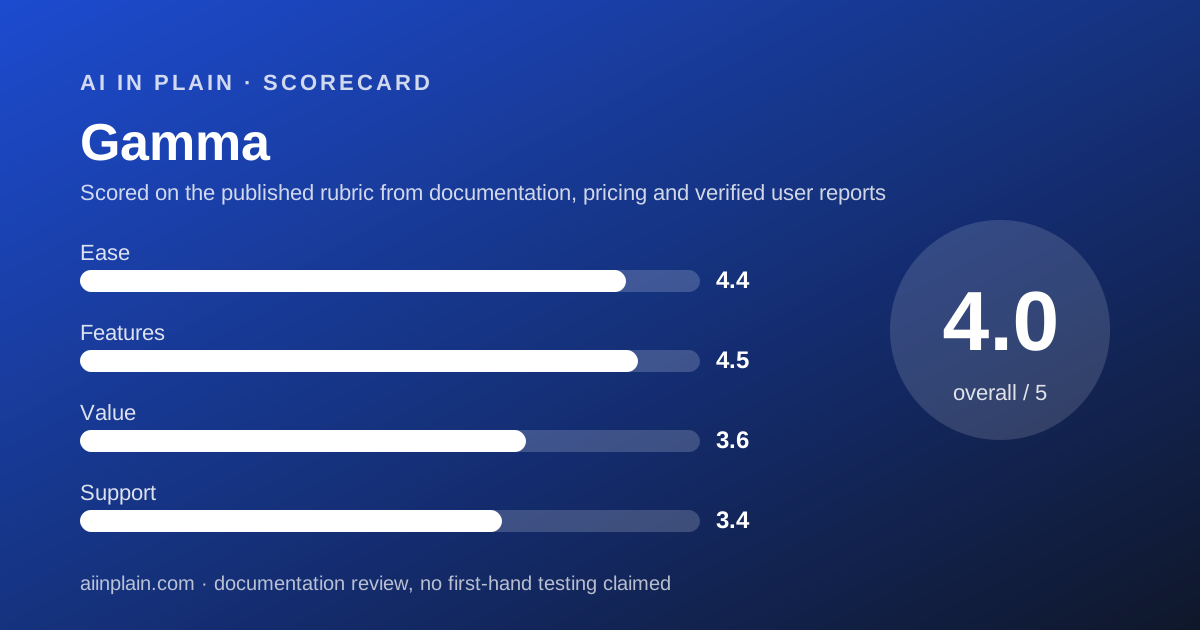
Scored on the published rubric, from documentation, pricing and verified user reports.
Best for: Anyone who needs a presentable deck out of rough text today, and who can live with usage being metered in credits instead of being unlimited.
Verdict
Gamma turns a paragraph into a deck, and then charges you by how much AI work that took. That second half is the part buyers miss. Every plan carries a monthly credit allowance - 1,000 on Plus, 4,000 on Pro, 20,000 on Ultra and 10,000 per seat on Business, per the pricing page read October 20, 2026 - and generations, image creation and agent edits all draw from it. The free plan is a 400-credit block that never refills, with a 10-slide cap per prompt and a 'Made by Gamma' badge on exports. This is a documentation review built from the pricing page, the help centre and the developer documentation; no usage claims are made here. Two things make Gamma easy to recommend anyway. It imports PowerPoint, Word and PDF up to 200 MB and keeps the original layouts, and it exports to PDF, PPTX, PNG and Google Slides with speaker notes and editable tables included on every plan. Two things should slow you down. Refunds run for three days only, and only if you have barely used the plan. And from our location the pricing page quoted Vietnamese dong, not dollars, so we do not print a US price for Plus, Pro or Ultra. Gamma earns 4.0 overall.
Visit Gamma
We have no affiliate relationship with this vendor. Link goes to the official site.
Where it is strong
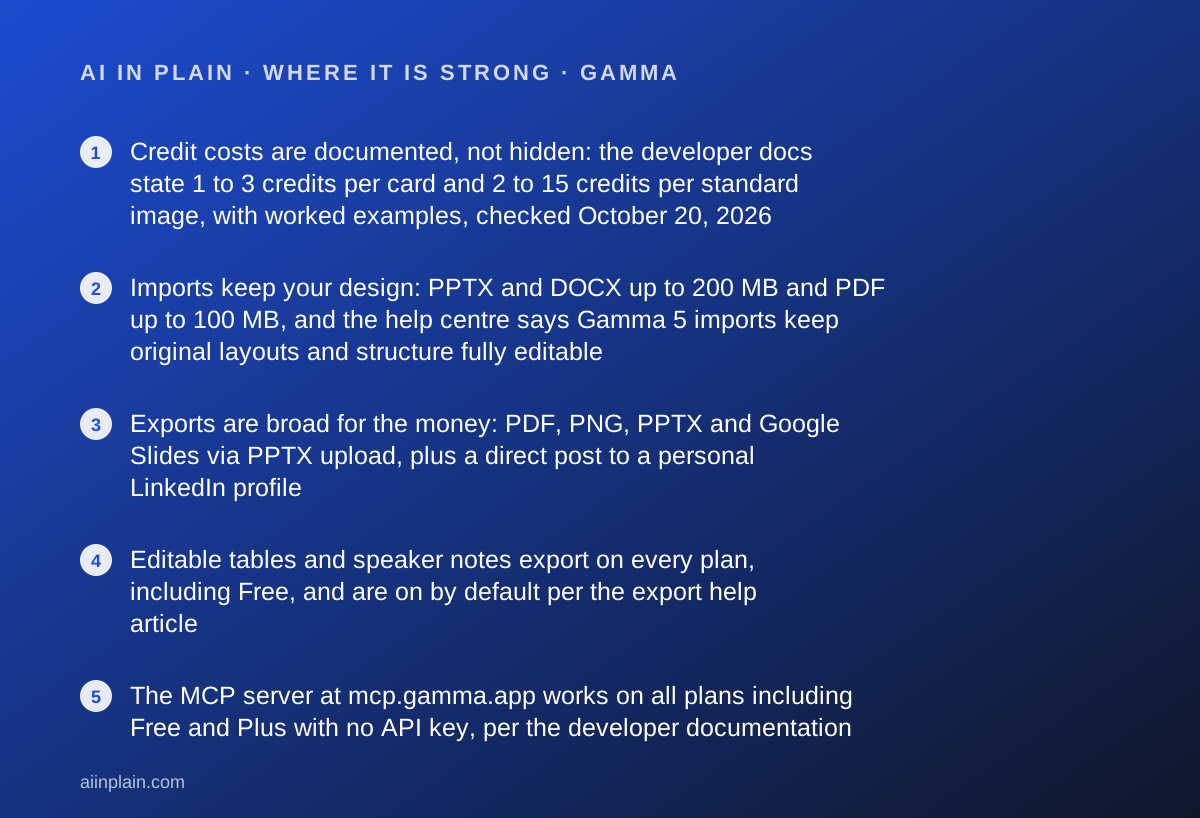
- Credit costs are documented, not hidden: the developer docs state 1 to 3 credits per card and 2 to 15 credits per standard image, with worked examples, checked October 20, 2026
- Imports keep your design: PPTX and DOCX up to 200 MB and PDF up to 100 MB, and the help centre says Gamma 5 imports keep original layouts and structure fully editable
- Exports are broad for the money: PDF, PNG, PPTX and Google Slides via PPTX upload, plus a direct post to a personal LinkedIn profile
- Editable tables and speaker notes export on every plan, including Free, and are on by default per the export help article
- The MCP server at mcp.gamma.app works on all plans including Free and Plus with no API key, per the developer documentation
- Unused plan credits roll over up to twice the monthly allowance, so one quiet month is not simply lost
Where it falls short
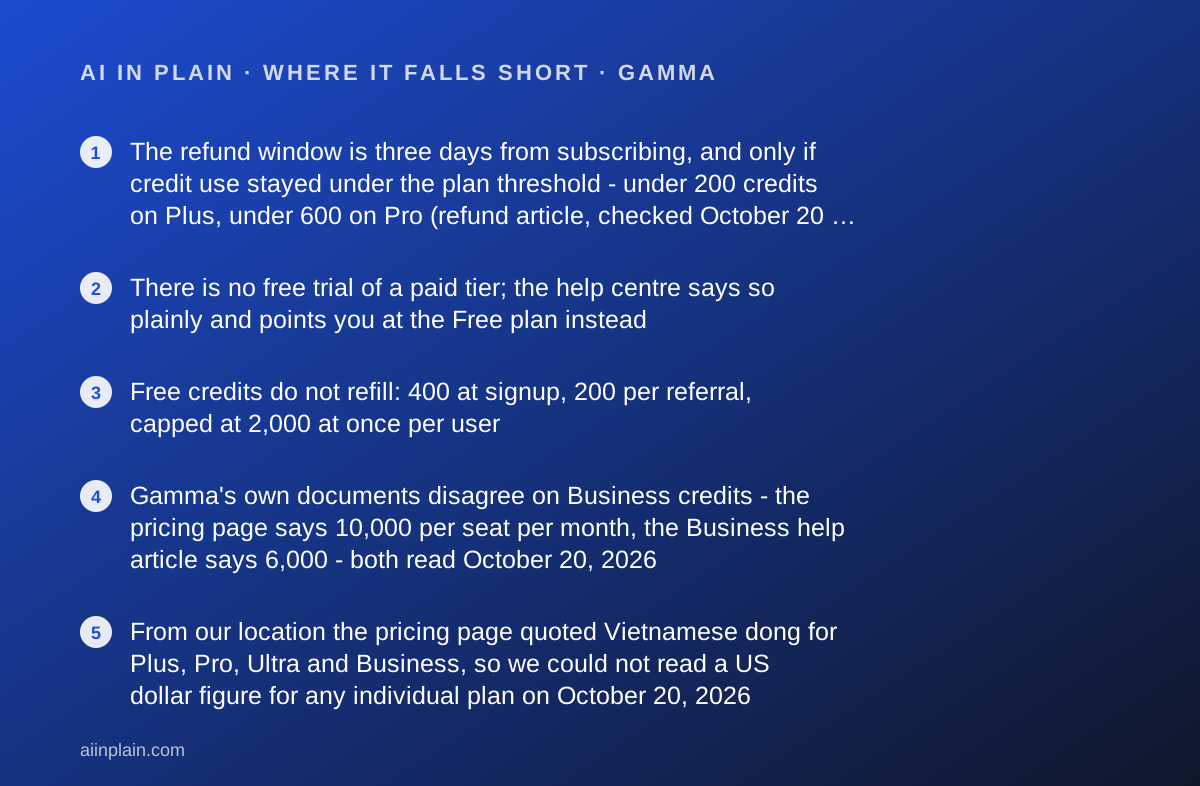
- The refund window is three days from subscribing, and only if credit use stayed under the plan threshold - under 200 credits on Plus, under 600 on Pro (refund article, checked October 20, 2026)
- There is no free trial of a paid tier; the help centre says so plainly and points you at the Free plan instead
- Free credits do not refill: 400 at signup, 200 per referral, capped at 2,000 at once per user
- Gamma's own documents disagree on Business credits - the pricing page says 10,000 per seat per month, the Business help article says 6,000 - both read October 20, 2026
- From our location the pricing page quoted Vietnamese dong for Plus, Pro, Ultra and Business, so we could not read a US dollar figure for any individual plan on October 20, 2026
- Cancel and your balance resets to the 400-credit free allowance; only credits you purchased separately survive, and those for one year
At a glance
| Starting price | Free at zero cost; paid tiers quoted per seat per month, with annual billing advertised as up to 28 percent cheaper (pricing page, October 20, 2026) |
|---|---|
| Pricing note | Free plan with 400 one-time credits; paid tiers priced per seat per month with up to 28 percent off annual billing (pricing page, read October 20, 2026; the page served prices in Vietnamese dong from our location) |
| Free plan | Yes - 400 credits at signup that do not refill, up to 10 slides per prompt, 50k input tokens per generation, badge on PDF and PPTX exports |
| Monthly credits | Plus 1,000 - Pro 4,000 - Ultra 20,000 - Business 10,000 per seat, per the pricing page FAQ; the refund article also lists a Team tier at 6,000 |
| Slides per prompt | 10 on free plans, 100 on paid plans (developer documentation, October 20, 2026) |
| Import limits | PPTX and DOCX up to 200 MB per file; PDF up to 100 MB; no direct Excel or Keynote import |
| Export formats | PDF, PNG, PPTX, Google Slides via PPTX upload, direct LinkedIn post to a personal profile |
| Refund window | Three days from subscribing, by support request, and only under the plan's credit-use threshold |
| Security | The pricing page states Gamma is a SOC 2 Type II compliant organisation; SOC 2 documentation is available on request on Business |
Short answer
Use Gamma when you already have the words and need them to look like a deck by this afternoon. Paste the text, pick a theme, generate, fix the slides that came out wrong.
The thing to understand before you pay is that Gamma meters AI work in credits. A seat does not buy unlimited generation. It buys a monthly allowance.
Start on the free plan, which hands you 400 credits once and never refills them. That is enough to learn whether the output is close to presentable for your kind of content.
Then read the refund rule before subscribing. It is three days long and it depends on how little you have used.
What Gamma actually is
Gamma is a generator with four output shapes, not a slide editor with AI bolted on. The navigation, read October 20, 2026, lists presentations, websites, social media, documents, an API and graphics.
That matters for the decision. If you only ever need slides, you are paying for a wider product than you use. The unit of content is a card rather than a slide, which is why the documentation prices generation per card.
Two generators exist side by side. Gamma 5 runs an agent that can read source URLs. The classic generator shows you an outline first, with Generate, Condense and Preserve options.
Preserve is the one non-writers should know about. The import help article describes it as keeping content exactly as it is, adding, removing and rewording nothing.
Who Gamma is best for
Gamma suits people whose bottleneck is formatting, not thinking, and who do not need an unlimited meter.
- Consultants and freelancers turning a written recommendation into a client deck without a designer.
- Founders who need a pitch deck shaped tonight and are happy to replace the stock imagery later.
- Internal communicators who write long documents and need a 15-slide version for a meeting.
- Teachers and trainers converting handouts into slides, since DOCX and PDF import keeps the original structure.
- Anyone publishing a one-page site as well as slides, because both come out of the same credit balance.
- Automation builders - the MCP server runs on every plan and API keys start at Pro.
Who should skip it
Three groups should look elsewhere.
- Teams that generate all day - credits are the ceiling, and heavy image work burns through them fast.
- Buyers who need a trial - there is none, and the refund window is three days with a usage condition attached.
- Anyone whose deck must match a corporate master - the export article says PPTX exports include no slide master layout.
The prices we could read, and the ones we could not
Gamma's pricing page prices by visitor location. Read from our office on October 20, 2026, in a desktop Chrome session with no account signed in, it quoted Vietnamese dong for every paid tier.
On the annual tab the figures were ₫203,200 per seat per month for Plus, ₫430,000 for Pro and ₫2,368,328 for Ultra. The monthly tab showed ₫254,000, ₫600,000 and ₫2,631,476.
The Business tab showed ₫1,052,591 per seat per month, billed annually as ₫12,631,092.
We are not converting those into dollars. An exchange rate we picked would look like a price Gamma published, and it would be neither.
What Gamma does publish in dollars, in its own help centre, is narrower but solid. Business is $40 per member per month, billed annually. Extra credits cost $6 per 1,500.
The shape of the ladder survives the currency problem, and that is the useful part. On the annual figures we read, Pro costs about 2.1 times Plus and Ultra about 11.7 times Plus.
That arithmetic is ours, from the dong figures above. So the Plus-to-Pro step is proportionate to its four-times credit increase, and Ultra is priced for a different buyer entirely.
Two page-level facts apply to every tier: annual billing advertises up to 28 percent off, and prices are subject to tax depending on your location.
How credits work, and what a deck actually costs
Credits are the real price list, and to Gamma's credit the developer documentation spells them out instead of hiding them behind a sales call.
For classic generations the documented rates, checked October 20, 2026, are 1 to 3 credits per card for text. Images run 2 to 15 credits on standard models, 20 to 33 on advanced, 34 to 75 on premium and 30 to 125 on ultra.
The page adds that these rates are subject to change.
The worked examples are the part to copy into your own spreadsheet. A deck of 10 cards with 5 basic images is listed at roughly 20 to 60 credits.
A document of 20 cards with 15 premium images is listed at roughly 320 to 1,070 credits. Social output of 30 cards with 30 ultra images is listed at roughly 930 to 3,900.
Read that against a 1,000-credit Plus allowance and the design becomes clear. Plus is generous for text-led decks and tight the moment you want premium imagery on every card.
Agent generations are priced differently again. The documentation says agent jobs are charged for the work the agent does, and that the same prompt can cost a different amount each run.
That is honest and it is also unbudgetable. If you need predictable cost, use classic generations and a standard image model.
Rollover softens the edges: unused plan credits carry over up to twice the plan size.
What the free plan includes (as of October 2026)
The free plan is better than most in this category, and worse than it first looks for one specific reason.
Per the pricing page and the upgrade help article read October 20, 2026, you get 400 credits at signup, up to 10 slides per prompt, import from PDF and PPTX, and export to PDF, PPTX, PNG and Google Slides.
The generation input is capped too: 50,000 input tokens on Free, 100,000 on Plus.
The reason to be careful is the badge. The export article says a 'Made by Gamma' badge appears on PDF and PPTX exports whenever the workspace is on the Free plan at the time of export.
That applies regardless of when the document was created. A deck built while you were paying picks up the badge if the subscription has since lapsed.
One documented workaround, in the vendor's own words: browser printing from your own editor while signed in does not add the badge, on any plan. Fine for a personal copy, no use for a client file.
Import and export decide whether Gamma fits your week
Most of the value here is not in generating from nothing. It is in generating from the document you already wrote.
The documented import limits are PPTX and DOCX up to 200 MB per file, PDF up to 100 MB, and webpages by pasting a link. Google Drive needs the connector enabled first.
Excel cannot be imported directly; the help article says to save as CSV or route it through Google Sheets. Keynote has to go out as PPTX first.
The same article says Gamma 5 keeps original layouts, design and structure from PowerPoint and PDF imports, while the classic generator imports only the text. That is a real fork in the road.
On the way out, the list is PDF, PNG, PPTX and Google Slides via PPTX upload, plus a direct post to LinkedIn - personal profile only, not a company page.
The export caveats matter before you promise a file to anyone. Theme fonts are embedded in PPTX, including custom uploads, but Google Slides ignores embedded fonts in an uploaded PowerPoint file and substitutes its own.
Tables export as editable tables by default on all plans, with square corners because PowerPoint does not support rounded ones. Speaker notes come through. Slide masters do not. Fillable PDFs are not supported.
The discipline in how to check an AI answer before you pass it on applies to the file itself: open the export before you send it.
Ease of use: what the 4.4 is built from
The core loop needs no training. Type or paste, watch an outline appear, approve it, get a deck. Nothing about models or aspect ratios has to be understood first.
The outline step is why this scores well. You see the structure before any design work happens, which is where most AI slide output goes wrong.
Prompt quality still decides the outcome. Our guide to writing a prompt that gets a usable first draft applies directly, and the habit in how to ask an AI tool for what you want saves credits as well as time.
We held the score below 4.5 for one reason. The credit system is a second thing to learn, and the price of an action is only visible after the action.
Features: what the 4.5 is built from
This is the strongest column on the scorecard. Gamma covers more ground than a slide tool needs to, and most of it is documented.
Four output formats share one editor and one balance. Custom branding, password protection and per-viewer analytics appear from Pro. Custom domains run to 10 sites on Pro and 100 on Ultra and Business.
The automation story is unusually open for this bracket. The hosted MCP server works on all plans including Free and Plus with no API key, per the developer documentation. API keys start at Pro.
Quality presets are lite, standard and max, and max is restricted to Pro and above.
The image side leans on other vendors rather than one house model. The named list includes Flux, Recraft, Playground, Ideogram, Luma and Leonardo.
If type inside the image is what you care about, our Ideogram review covers that job. Adobe Firefly is the one to read if image licensing matters to your employer.
What is missing is collaboration discipline: version locking, slide-level permissions and an approved template library.
Value: what the 3.6 is built from
Value is the weakest pillar, and the credit model is why, not the headline price.
On paper the ladder is fair. Pro costs roughly twice Plus and carries four times the credits. Business adds SSO, 100 custom domains and a locked training opt-out at $40 per member per month on annual billing.
The friction is that you cannot forecast your own usage before you start. The agent charges by work done and the same prompt varies run to run. The documentation says so.
The honest way to budget, which the vendor also recommends, is to run a few representative jobs and compare the credits deducted.
Top-ups at $6 per 1,500 credits are the quiet value lever. The help centre notes credits are not pooled on individual plans, so three teammates each dipping below a threshold triggers three charges.
A help answer confirms annual plans carry the same monthly credits, issued monthly rather than upfront, at a 28 percent discount.
Support and refunds: what the 3.4 is built from
Gamma states in the refund article that its support team is available 24/7, which is more than most vendors at this price put in writing. No response-time commitment appears next to it.
The refund policy should change how you buy. Since December 1, 2025, refunds run only within three days of subscribing, on monthly and annual billing alike, and only on contacting support.
There is a usage condition as well. The published thresholds are under 200 credits used on Plus, 600 on Pro, 900 on Team, 1,000 on Business and 2,000 on Ultra.
Read that alongside the credit costs above and you may generate two or three real decks before the refund door closes.
Cancelling is clean. You keep the plan to the end of the billing period, then drop to Free with the balance reset to 400 credits. Purchased credits stay for a year.
Two billing details catch teams out. Each invite accepted generates another charge, and everyone in a workspace is on the same plan. ACH payment requires a minimum of 25 licences.
Before you cancel anything, pull your files out first. Our guide to getting your data out before you cancel covers the order to do it in.
Privacy and data use
The privacy help article, read October 20, 2026, states that you control whether your data can be used to train Gamma's AI models, and that Gamma does not sell personal information.
The Business article adds that this opt-out is locked workspace-wide on Business, while on Pro it is a setting an individual can change.
The pricing page carries the line that Gamma is a SOC 2 Type II compliant organisation. The SOC 2 documentation itself is available on request on Business.
One gap to note rather than gloss: the article says Gamma does not currently respond to Do Not Track signals.
Alternatives
Beautiful.ai. Choose Beautiful.ai if a predictable monthly bill matters more than breadth, and if your decks must obey a brand. It sells unlimited AI content generation on a flat seat price with a 14-day trial.
Otherwise choose Gamma when you need websites and social posts out of the same balance.
PowerPoint or Google Slides with an assistant. Choose these if the real requirement is a slide master nobody breaks. Gamma's own export documentation admits PPTX exports carry no slide master.
A writing tool first. If the deck is late because the thinking is not finished, slides are the wrong fix. Our guide to the best AI writing assistants for everyday work covers that end.
If the source is a meeting rather than a document, start with the best AI meeting note takers for small teams and let the transcript become the outline.
Bottom line
Gamma is the fastest honest route from written text to a deck you would not be embarrassed to show. It is priced in a unit most buyers have not budgeted for.
Do this in order. Spend some of the free 400 credits on your real content, not a demo topic. Export to PPTX and open it in whatever you present from. Check the badge, the fonts and the tables.
If it holds up, pick a tier by credits rather than by feature list. Text-led decks fit a 1,000-credit plan; image-heavy work does not.
And subscribe on a day when you can afford to test it inside 72 hours, because that is the whole refund window.
This is a documentation review. Prices, credit allowances, limits and policy wording come from the Gamma pricing page, help centre and developer documentation as read on October 20, 2026. The pricing page served dong, not dollars, from our location.
Buy it if
- You start from text you already have - a memo, a report, a transcript. Import keeps the layout, and the classic generator has a Preserve option that adds, removes and rewords nothing.
- You need the deck to leave Gamma - PPTX with embedded fonts, editable tables and speaker notes are included on every plan, so the file still works in PowerPoint.
- Your volume is lumpy - credits roll over to twice the plan allowance, and paid users can top up at $6 per 1,500 credits rather than move up a tier.
- You want slides from an agent - the MCP server runs on every plan including Free, and API keys are available from Pro upward.
Skip it if
- You want unlimited generation - every AI action here draws from a credit balance, and a long document with premium images is documented at 320 to 1,070 credits.
- You want to try a paid tier risk-free - there is no trial, and the refund window closes after three days.
- You need a published price in your own currency before you decide - the page prices by location, and ours did not show dollars.
Frequently asked
Is Gamma free?
There is a genuine free plan with no time limit and no card required. It carries 400 credits at signup that never refill, caps you at 10 slides per prompt, and stamps a 'Made by Gamma' badge on PDF and PPTX exports. Referrals add 200 credits each.
How much does Gamma cost?
We cannot give you a dollar figure for Plus, Pro or Ultra. The pricing page prices by location and served Vietnamese dong to us on October 20, 2026. Gamma's help centre does publish one US price: Business at $40 per member per month, billed annually.
Does Gamma have a free trial?
No. The help centre says Gamma does not offer a traditional free trial and that every new account starts on the Free plan instead, with 400 credits and no card required. The closest thing to a trial is the three-day refund window after you subscribe.
How many credits does one presentation use?
The developer documentation puts generations at 1 to 3 credits per card plus 2 to 15 credits per standard image, and gives a worked example: a 10-card deck with 5 basic images is about 20 to 60 credits. Agent runs are priced by work done, so they vary.
Can I get a refund from Gamma?
Only within three days of subscribing, only by contacting support, and only if your credit use stayed under the plan threshold: under 200 credits on Plus, 600 on Pro, 900 on Team, 1,000 on Business and 2,000 on Ultra, per the refund article checked October 20, 2026.
Can I export a Gamma deck to PowerPoint?
Yes, on every plan. Exports cover PDF, PNG and PPTX, and Google Slides by uploading the PPTX. Theme fonts are embedded, tables stay editable by default, and speaker notes come through. Free-plan exports carry the Gamma badge.
Does Gamma train its AI on my decks?
The privacy help article says you control whether your data can be used to train Gamma's models, and that Gamma does not sell personal information. On Business the training opt-out is locked for the whole workspace; on Pro it is a setting a member can change.
Which AI models does Gamma use?
The pricing page FAQ names Claude from Anthropic, ChatGPT and DALL-E from OpenAI, Gemini from Google, plus Flux, Recraft, Playground, Ideogram, Luma and Leonardo, as read on October 20, 2026. Which one runs is chosen by Gamma, not by you.
Sources
- Gamma plans and pricing - checked October 20, 2026
- How can I upgrade my Gamma subscription? - checked October 20, 2026
- What is Gamma's refund policy? - checked October 20, 2026
- Gamma developer documentation: access and pricing - checked October 20, 2026
- What's the easiest way to export my Gamma? - checked October 20, 2026
- How can I import slides or content into Gamma? - checked October 20, 2026
Update history
- October 20, 2026 - First published from the Gamma pricing page (read in a desktop Chrome session on October 20, 2026 after a normal fetch returned HTTP 403), the help centre articles on upgrading, refunds, imports, exports and privacy, and the developer documentation on access and pricing.
Visit Gamma
We have no affiliate relationship with this vendor. Link goes to the official site.