
Adobe Firefly
A credit-metered generation hub that bundles Adobe and partner models, and says in writing that its own outputs are safe for commercial work
Scored on the published rubric, from documentation, pricing and verified user reports.
Best for: People who cannot draw, want an image they are allowed to publish, and would rather learn one credit system than five separate image tools.
Verdict
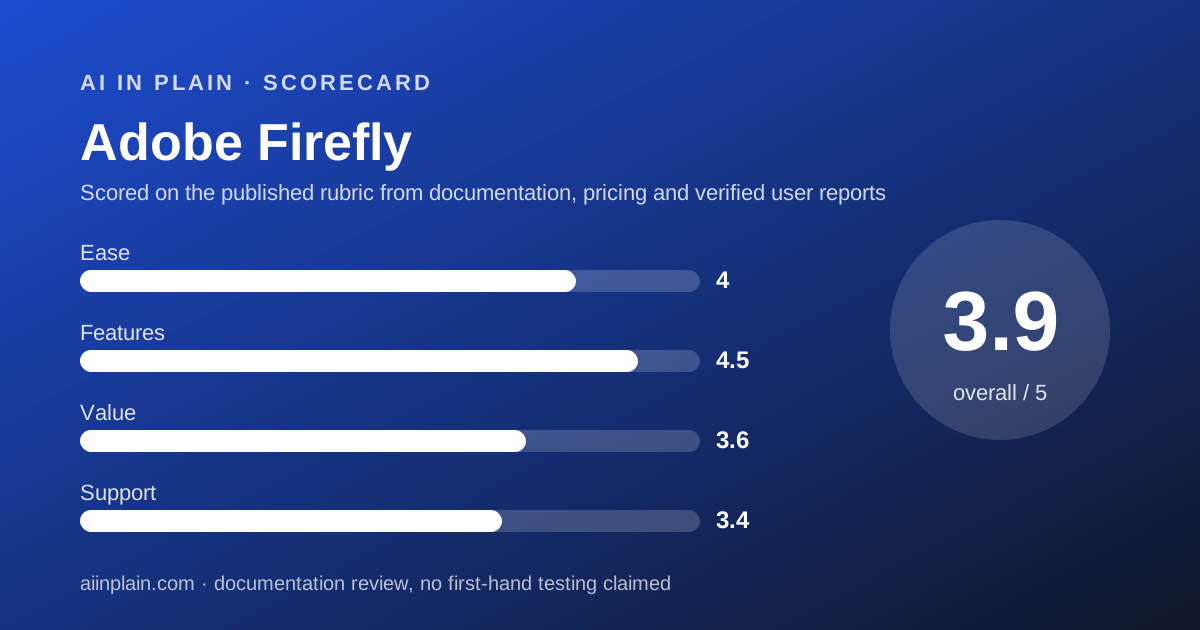
Adobe Firefly is the safest first stop for someone who cannot draw and needs a picture they are allowed to use at work. Every paid plan includes unlimited standard image generations, so the plain job of typing a sentence and getting an image does not run out. The credits meter the expensive work instead: video, audio, and the partner models from Google, OpenAI, Runway and others. Standard is US$9.99 a month with 2,000 credits, Pro US$19.99 with 4,000, Pro Plus US$49.99 with 10,000 and Premium US$199.99 with 50,000, per the plans page checked October 14, 2026. This is a documentation review built from the plans page, the generative credits FAQ and Adobe's own commercial-use wording; nothing here is a usage claim. Two things cost it points. The credit table is genuinely hard to read before you buy, because a single video second can cost 100 credits while a standard image costs one. And the pricing page we could read was served with prices labelled incl. VAT, so a United States buyer should confirm the figure at checkout. Firefly earns 3.9 overall.
Visit Adobe Firefly
We have no affiliate relationship with this vendor. Link goes to the official site.
Where it is strong
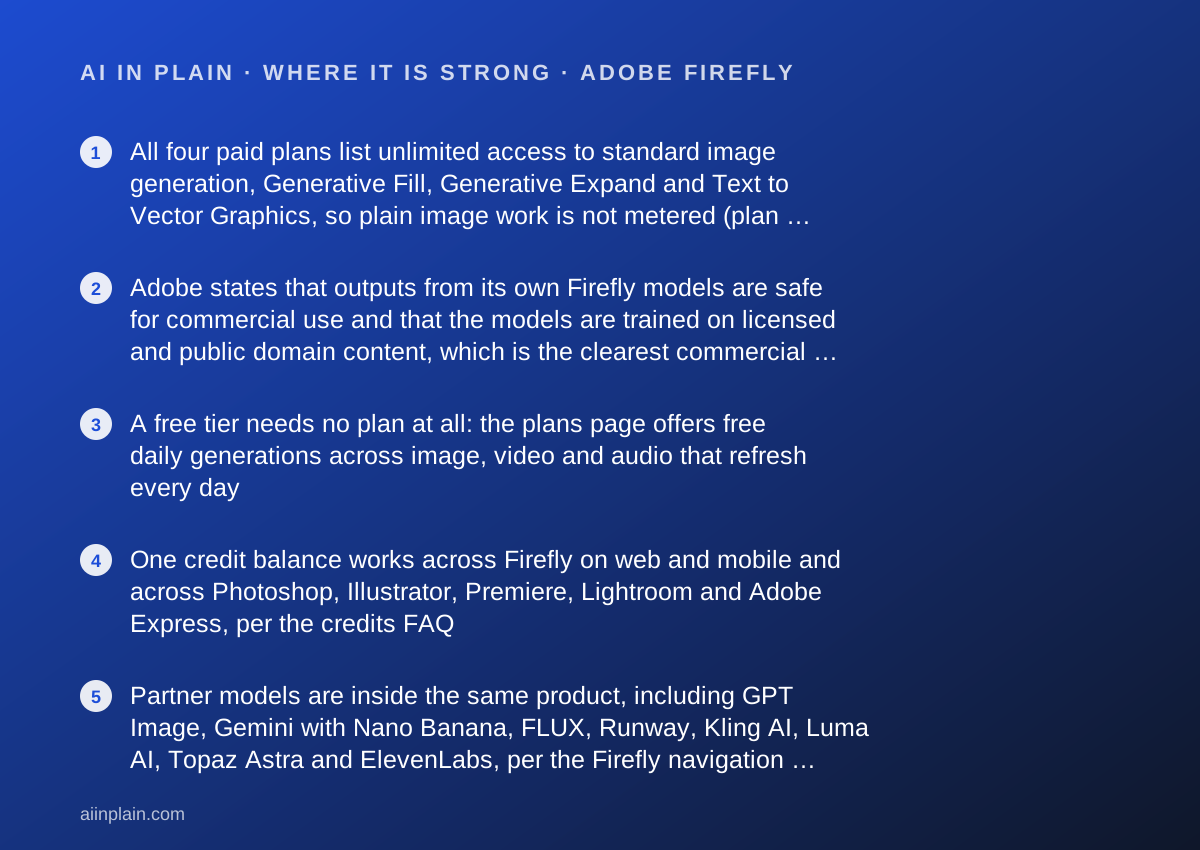
- All four paid plans list unlimited access to standard image generation, Generative Fill, Generative Expand and Text to Vector Graphics, so plain image work is not metered (plans page and credits FAQ, checked October 14, 2026)
- Adobe states that outputs from its own Firefly models are safe for commercial use and that the models are trained on licensed and public domain content, which is the clearest commercial wording of the three tools we read
- A free tier needs no plan at all: the plans page offers free daily generations across image, video and audio that refresh every day
- One credit balance works across Firefly on web and mobile and across Photoshop, Illustrator, Premiere, Lightroom and Adobe Express, per the credits FAQ
- Partner models are inside the same product, including GPT Image, Gemini with Nano Banana, FLUX, Runway, Kling AI, Luma AI, Topaz Astra and ElevenLabs, per the Firefly navigation menu
- A free trial is offered on Standard, Pro and Pro Plus, per the buttons on the plans page
Where it falls short
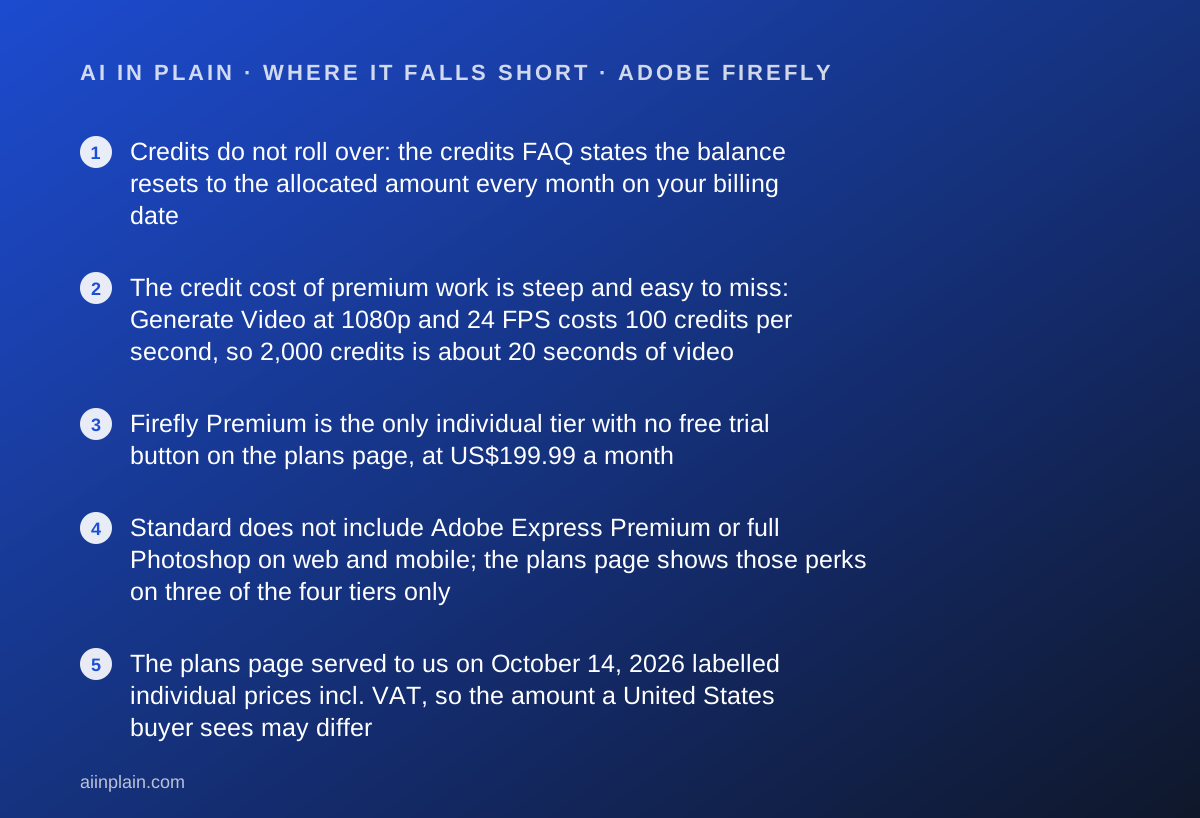
- Credits do not roll over: the credits FAQ states the balance resets to the allocated amount every month on your billing date
- The credit cost of premium work is steep and easy to miss: Generate Video at 1080p and 24 FPS costs 100 credits per second, so 2,000 credits is about 20 seconds of video
- Firefly Premium is the only individual tier with no free trial button on the plans page, at US$199.99 a month
- Standard does not include Adobe Express Premium or full Photoshop on web and mobile; the plans page shows those perks on three of the four tiers only
- The plans page served to us on October 14, 2026 labelled individual prices incl. VAT, so the amount a United States buyer sees may differ
- Indemnification for outputs is not part of a normal subscription: the plans FAQ says only eligible enterprise customers can receive IP indemnification
At a glance
| Starting price | Free daily generations with no plan; Standard US$9.99/month (plans page, October 14, 2026) |
|---|---|
| Pricing note | Free daily generations with no plan; Standard from US$9.99 per month, Pro US$19.99, Pro Plus US$49.99, Premium US$199.99 (plans page, checked October 14, 2026) |
| Free plan | Yes - free daily generations across image, video and audio, limits refresh daily; the page does not publish the daily number |
| Monthly credits by tier | Standard 2,000 - Pro 4,000 - Pro Plus 10,000 - Premium 50,000, all for premium generations |
| Standard image generations | Unlimited on every paid tier, per the plans page and the credits FAQ |
| Credit rollover | None; credits reset monthly on your billing date |
| Team plans | Firefly Pro for teams US$19.99, Pro Plus for teams US$49.99, Premium for teams US$199.99 per licence per month, annual and billed monthly, excl. VAT |
| Trial | Free trial button on Standard, Pro and Pro Plus; no trial button on Premium |
| Commercial use | Adobe states outputs from its own Firefly models are safe for commercial use; partner model outputs are the buyer's responsibility |
Short answer
Adobe Firefly is the image tool to start with if you cannot draw and the picture has to be publishable at work. Type a sentence, get an image, and on any paid plan that basic job is unlimited.
The money question is not the price. It is the credit system. Standard image work costs nothing from your balance on a paid plan, while video and partner models eat credits quickly.
Standard is US$9.99 a month with 2,000 credits, per the plans page checked October 14, 2026. For still images that is enough for almost anyone. For video it is roughly 20 seconds.
What Adobe Firefly actually is
Firefly is two things at once, and the plans page does not separate them clearly. It is Adobe's own family of generative models, and it is also a storefront for other companies' models behind one login.
The navigation menu on adobe.com, read October 14, 2026, lists partner image models including GPT Image, Gemini with Nano Banana and FLUX. Under video it lists Runway, Kling AI, Luma AI and Topaz Astra. Under audio it lists ElevenLabs.
That matters for a beginner. You do not have to decide which model company to trust before you start. You pick a plan, then switch models inside the product.
The other half of Firefly is the plumbing. The credits FAQ says the same balance works across Photoshop, Illustrator, Premiere, Lightroom and Adobe Express, as well as Firefly on web and mobile. If you already pay Adobe for anything, you already have some credits.
What Firefly is not is a design editor. It generates and edits assets. Laying out a poster with text, logo and brand colours is a different job, and a tool like Canva is built for that instead.
Who Adobe Firefly is best for
Firefly fits people whose pictures end up in front of other people, and who need to be able to answer a question about where the image came from.
- Small business owners who need product-adjacent images, social posts and banners and cannot hire an illustrator.
- People who already pay for an Adobe app and would rather add credits than add a subscription.
- Anyone nervous about training data - Adobe states its own models are trained on licensed and public domain content where copyright has expired.
- Marketers who need Content Credentials attached to output automatically, because a client or a platform asks where the image came from.
- Beginners who want one bill rather than separate accounts at an image company, a video company and a voice company.
- Teams who want admin tools and 24x7 support, which the plans page lists on the three for teams tiers.
Who should skip it
Three groups will do better elsewhere.
- People who need words rather than pictures - start with a writing tool such as ProWritingAid instead.
- Heavy video generators - at 100 credits per 1080p second, credits run out before the project does.
- Buyers who need indemnification in the contract - Adobe restricts IP indemnification to eligible enterprise customers.
What the free tier and each paid plan include (as of October 2026)
The free tier is real but undefined. The plans page says you do not need a plan to get free daily generations across image, video and audio, with access to popular models, and that limits refresh every day.
It does not say how many generations that is. We looked for a number on the plans page and in the generative credits FAQ on October 14, 2026 and could not find one for the free tier. Treat the free tier as a taste, not a workspace.
Standard at US$9.99 a month includes 2,000 credits for premium generations, unlimited standard image generation, up to 20 five-second videos, up to 6 minutes of audio or video translation, up to 200 sound effects and up to 100 minutes of generated music.
Pro at US$19.99 doubles the credits to 4,000 and roughly doubles those allowances. It is also the first tier where the plans page shows Adobe Express Premium and full Photoshop on web and mobile.
Pro Plus at US$49.99 lists 10,000 credits, up to 100 five-second videos and up to 33 minutes of translation. Premium at US$199.99 lists 50,000 credits, up to 166 minutes of translation and a separate row for unlimited access to the Firefly Video Model.
On the day we read the page, a banner offered 30 percent off Pro Plus and Premium for the first year, ending October 21, which brought the listed figures to US$34.97 and US$139.91. Promotions expire; check the page before you buy.
How the pricing is structured
Firefly prices access to expensive models, not access to the product. That is the single idea to hold on to.
Every paid tier gives unlimited standard generation. The credits FAQ names the unmetered features: Generate Image, Generative Fill, Generative Expand and Text to Vector Graphics. If that is your whole workload, the cheapest paid plan is the right plan forever.
Credits are spent on what the FAQ calls premium features. The published rates, checked October 14, 2026, include 10 credits per Firefly Image 5 generation, 20 credits for one Firefly Image 4 Ultra image, 10 credits per sound effect, 20 credits per minute of music and 100 credits per second of 1080p video.
So the same 2,000 credits are either 200 Image 5 pictures or about 20 seconds of high quality video. Nothing on the plans page makes that trade visible, which is our main criticism of the page.
Team pricing is quoted as annual, billed monthly, per licence, and excl. VAT: US$19.99 for Pro for teams, US$49.99 for Pro Plus for teams and US$199.99 for Premium for teams, with the same credit allowances as the matching individual tiers plus admin tools and 24x7 support.
There is one more route worth knowing. The plans FAQ says Creative Cloud Pro at US$67.99 a month includes 4,000 Firefly credits along with more than 20 Creative Cloud apps, so people who want the apps anyway should price that before buying Firefly alone.
Ease of use: what the 4.0 is built from
The thing a beginner actually does in Firefly is simple: open the web app, type a sentence, pick a result. There is no canvas to learn and no layer panel to fear.
We took points off for the buying decision rather than the product. Four individual tiers, three team tiers, five credit add-on sizes, a 30 percent promotion with an end date and a credit table spread across a separate help page add up to a page you have to study.
The credit balance is also invisible until you look for it. The credits FAQ tells you where to check the remaining balance and the monthly reset date, which is a thing most buyers will not read before their first surprise.
What improves results fastest is not the tier. It is the prompt. Our guide to writing a prompt that gets a usable first draft applies to images as much as to text: name the subject, the setting, the framing and what must not appear.
Features: what the 4.5 is built from
This is the broadest feature set of the three image tools we graded. Firefly covers image generation, photo editing, vector output, video, voice, music and sound effects in one place.
The menu we read on October 14, 2026 lists image features including Generate Image from Image, Generate Image from Sketch, Image Style Transfer, Remove Background, Remove Object, Upscale and Expand. Vector output is there too, which most image generators do not offer.
Firefly Boards appears on all four tiers with unlimited access, per the plans page. That is the ideation surface where a non-designer assembles options before committing to one.
The gap is layout. Firefly makes assets; it does not lay out a brochure with your fonts and brand colours. Adobe answers that with Adobe Express Premium, which the plans page shows on Pro and above but not on Standard.
One more point for honesty: a picture generated from a sentence can quietly contain a detail you did not ask for and did not notice. The habit in how to check an AI answer before you pass it on is worth two minutes before anything goes to a client.
Value: what the 3.6 is built from
At US$9.99 a month for unlimited standard image generation, the entry tier is good value for the job most beginners have. That is the strongest argument in Firefly's favour.
Value falls off above that. Pro Plus at US$49.99 and Premium at US$199.99 are priced for production volume, and the credit rates mean the top tier still buys only about 500 seconds of 1080p video a month by our arithmetic from the published 100 credits per second.
The no-rollover rule costs value too. An irregular user pays every month for an allowance that evaporates monthly, which is the opposite of how creative work arrives.
We also marked down price clarity. The page served to us on October 14, 2026 showed individual prices labelled incl. VAT and team prices labelled excl. VAT, so confirm the number at checkout.
Support: what the 3.4 is built from
Adobe publishes a large help library, and the generative credits FAQ is unusually detailed: per-second video costs, per-generation image costs, reset behaviour and a dated list of recent page updates.
What the plans page does not publish is a response time for individual plans. The only support promise we could find on the page is 24x7 support, and it is listed under business features on the for teams tiers.
That is the shape of Adobe support: excellent documentation, undefined individual service. For a US$9.99 plan that is acceptable. For a US$199.99 plan we would want a written commitment. We read no third-party review sites for this grade, so 3.4 is a documentation score.
Commercial use, training data and Content Credentials
This is the section that should decide the purchase for most readers, and it is the one Adobe writes most plainly.
The plans FAQ states that outputs from Adobe Firefly AI models are safe for commercial use, that the models are trained on licensed content and public domain content where copyright has expired, and that Content Credentials are attached automatically for transparency.
The same answer puts a limit next to it: you are responsible for deciding whether content generated by partner models suits your project. In other words, the comfort covers Adobe's own models, not the Google, OpenAI or FLUX models sold alongside them.
The credits FAQ adds a second limit. Outputs from features carrying a beta label can be used commercially unless the product says otherwise, but beta outputs are not indemnified for eligible teams and enterprise customers.
Indemnification itself is an enterprise matter. The plans FAQ says eligible enterprise customers can receive IP indemnification for select outputs. No individual tier on the page offers it, and a buyer who needs a contractual promise should ask Adobe sales rather than click Buy now.
If you ever leave, remember that the generated files and the saved boards are the asset, not the subscription. Our guide to getting your data out before you cancel covers the download order.
Limits we could not read, and limits Adobe states
Two numbers stayed out of reach on October 14, 2026, and we would rather name them than fill them in.
First, the size of the free daily allowance. The plans page promises daily refresh but prints no figure, and the credits FAQ table lists plan allocations without a free-tier row.
Second, the trial length. The plans page shows a Free trial button on three tiers and no duration. We could not read a number, which is not the same as Adobe not having one.
The limits Adobe does state are clear enough to plan around: credits reset monthly and never roll over, one standard generation costs one credit, and Firefly Image 4 Ultra returns one image per 20-credit generation.
One note on access. The plans page we read was served to a browser outside the United States, so readers elsewhere may see different currencies and different promotions.
Alternatives
Ideogram. Choose Ideogram if the image has to contain readable words, such as a poster, a label or a social card with a headline. Its homepage leads on prompt fidelity and crystal-clear type, and its Plus plan is cheaper than Firefly Pro. Otherwise choose Firefly for the commercial-use wording and the unmetered standard generation.
Canva AI. Choose Canva if the picture is only half the job and the other half is layout: a flyer, a deck, a social set in brand colours. Canva meters AI use rather than selling it unlimited, so heavy generators will hit the allowance. Otherwise choose Firefly when the asset itself is the deliverable.
A general chat assistant. If you already pay for one, it can probably make a rough image, and a clear request gets you further than a second subscription. The trade is commercial wording: Adobe states it, most chat assistants do not.
Bottom line
Start on the free daily generations. If image work becomes a habit, Standard at US$9.99 a month is the plan most people who cannot draw should buy, because standard generation is unlimited and the commercial-use wording is the clearest in this category.
Move up only for a reason you can name: video seconds, partner models, Photoshop on web, or team admin. Do not buy credits because a bigger number looks safer, since the credits FAQ says they expire every month.
And read the commercial-use answer twice if the image is going anywhere near a paying customer. Adobe covers its own models and explicitly does not cover the partner models it sells beside them.
This is a documentation review. Prices, credit rates and policy wording come from Adobe's plans page and generative credits FAQ as read on October 14, 2026, with a desktop browser, and may have changed since. If your actual need is meeting notes rather than pictures, start with our guide to the best AI meeting note-takers for small teams instead.
Buy it if
- You need a picture you are allowed to publish - Adobe puts commercial-use wording and Content Credentials in writing for its own models, which matters more than image quality when the picture goes on an invoice or a client deck.
- You already pay for an Adobe app - credits are shared across Photoshop, Illustrator, Premiere, Lightroom and Express, so the balance you buy is not stranded in one tool.
- Your work is mostly still images - unlimited standard generation means the common job never hits a meter, whatever your tier.
- You want several models behind one login - the Firefly menu lists Google, OpenAI, FLUX, Runway, Kling, Luma, Topaz and ElevenLabs models in the same place.
Skip it if
- You mainly need words, not pictures - a writing assistant such as Grammarly or ProWritingAid is the cheaper tool for that job.
- You need legal indemnification on a small plan - the plans FAQ limits IP indemnification to eligible enterprise customers, not to a US$9.99 subscription.
- You generate video more than images - at 100 credits per 1080p second, even 10,000 credits is about 100 seconds, and the budget disappears fast.
Frequently asked
Is Adobe Firefly free?
There is a free tier. The plans page checked October 14, 2026 says you do not need a plan to get free daily generations across image, video and audio, and that limits refresh every day. The page does not publish how many generations the daily limit allows.
How much does Adobe Firefly cost?
Per the plans page on October 14, 2026, Standard is US$9.99 a month with 2,000 credits, Pro is US$19.99 with 4,000, Pro Plus is US$49.99 with 10,000 and Premium is US$199.99 with 50,000. The page we read labelled these prices incl. VAT.
How many images do 2,000 generative credits buy?
It depends on the model. Standard features cost 1 credit per generation, Firefly Image 5 costs 10 credits and Firefly Image 4 Ultra costs 20 credits for one image, per the credits FAQ. Standard generation is unmetered on every paid plan, so credits mostly fund premium models.
Do unused Adobe Firefly credits roll over?
No. The credits FAQ states plainly that generative credits do not roll over, and that the balance resets to the allocated amount each month on the day you started the plan. Your reset date is shown in the account menu.
Can I use Adobe Firefly images commercially?
Adobe says outputs from its own Firefly models are safe for commercial use, that the models are trained on licensed and public domain content, and that Content Credentials are attached automatically. For partner models, Adobe says the buyer decides whether the output suits the project.
Does Adobe Firefly include legal indemnification?
Not on an ordinary subscription. The plans FAQ says eligible enterprise customers can receive IP indemnification for select outputs, and the credits FAQ adds that beta feature outputs are not indemnified even for eligible teams and enterprise accounts.
Is there a free trial of Adobe Firefly?
The plans page shows a Free trial button on Standard, Pro and Pro Plus, and only a purchase button on Premium, as read on October 14, 2026. The page does not state how long the trial runs, so confirm that before you enter a card.
Sources
- Adobe Firefly plans and pricing - checked October 14, 2026
- Adobe generative credits FAQ - checked October 14, 2026
Update history
- October 14, 2026 - First published from the Adobe Firefly plans page and the Adobe generative credits FAQ, both read with a desktop browser on October 14, 2026.
Visit Adobe Firefly
We have no affiliate relationship with this vendor. Link goes to the official site.