Fireflies.ai
An unlimited-transcription note-taker priced per seat, with storage rather than minutes as the real limit
Scored on the published rubric, from documentation, pricing and verified user reports.
Best for: Small teams that meet a lot, want every call transcribed without watching a minute counter, and are happy to pay per seat for the people who record.
Verdict
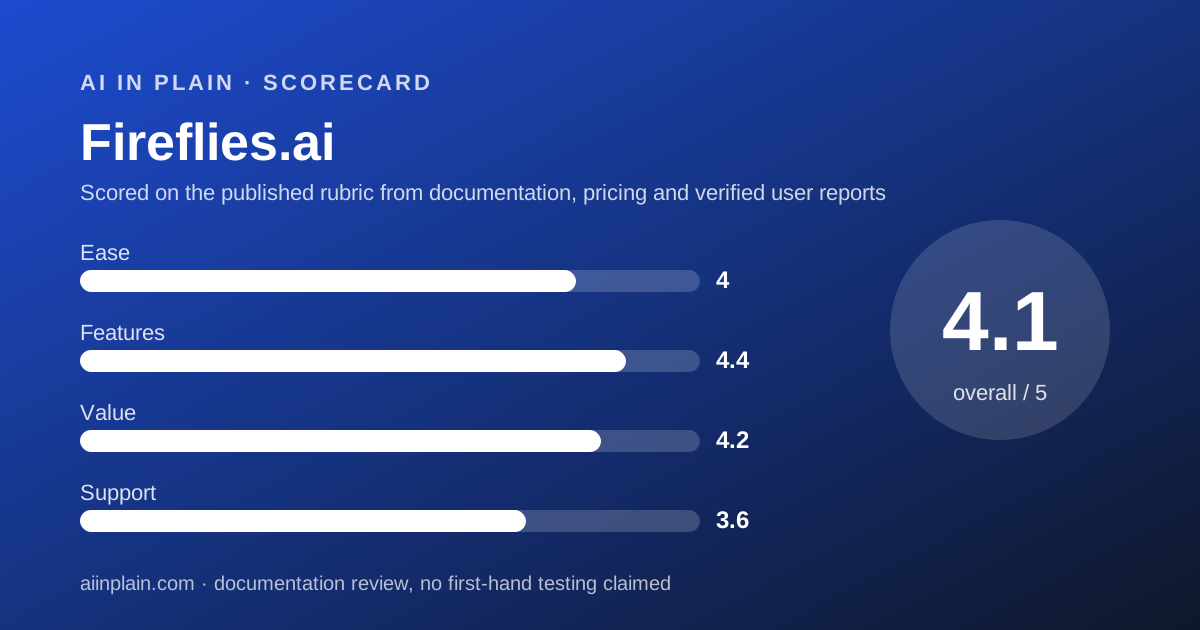
Fireflies.ai is the AI meeting note-taker to pick when the thing you fear is a minute cap. Every paid plan, and the free plan with an asterisk, carries unlimited transcription; what the tiers meter instead is storage, AI credits, recording length and video. This is a documentation review built from the pricing page, the help center, the security page and Trustpilot, all checked October 10, 2026; nothing here is a first-hand usage claim. Pro at $10 per seat per month on annual billing includes unlimited AI summaries, 8,000 minutes of stored audio per seat, video recording and unlimited integrations. Business at $19 lifts storage to unlimited and adds conversation intelligence and admin analytics. The free plan is a real trial rather than a working tier: 400 minutes of storage shared across the team fills in a week of meetings. Fireflies scores 4.05 overall: top of this group on features and value, middling on support because the vendor publishes no per-plan support tiers, and a touch below Otter on ease because there is no live transcript to read during the call.
Visit Fireflies.ai
We have no affiliate relationship with this vendor. Link goes to the official site.
Where it is strong
- Unlimited transcription and AI summaries on every paid plan
- Pro at $10 per seat per month on annual billing, with no stated seat minimum
- Transcription in 100+ languages per the pricing page
- 100+ integrations including HubSpot, Salesforce, Slack, Notion and four dialers
- SOC 2 Type II, GDPR and HIPAA stated on the security page
Where it falls short
- Free plan storage is 400 minutes shared by the whole team
- Recording limit of 2 hours per meeting on Free and Pro
- No per-plan support tiers published; Trustpilot complaints cite an AI support bot
- Uploads and dialer calls are rate-limited at 3,000 minutes per source per month, with $0.01 per minute overage
- Enterprise is annual-only at $39 per seat
What Fireflies.ai actually is
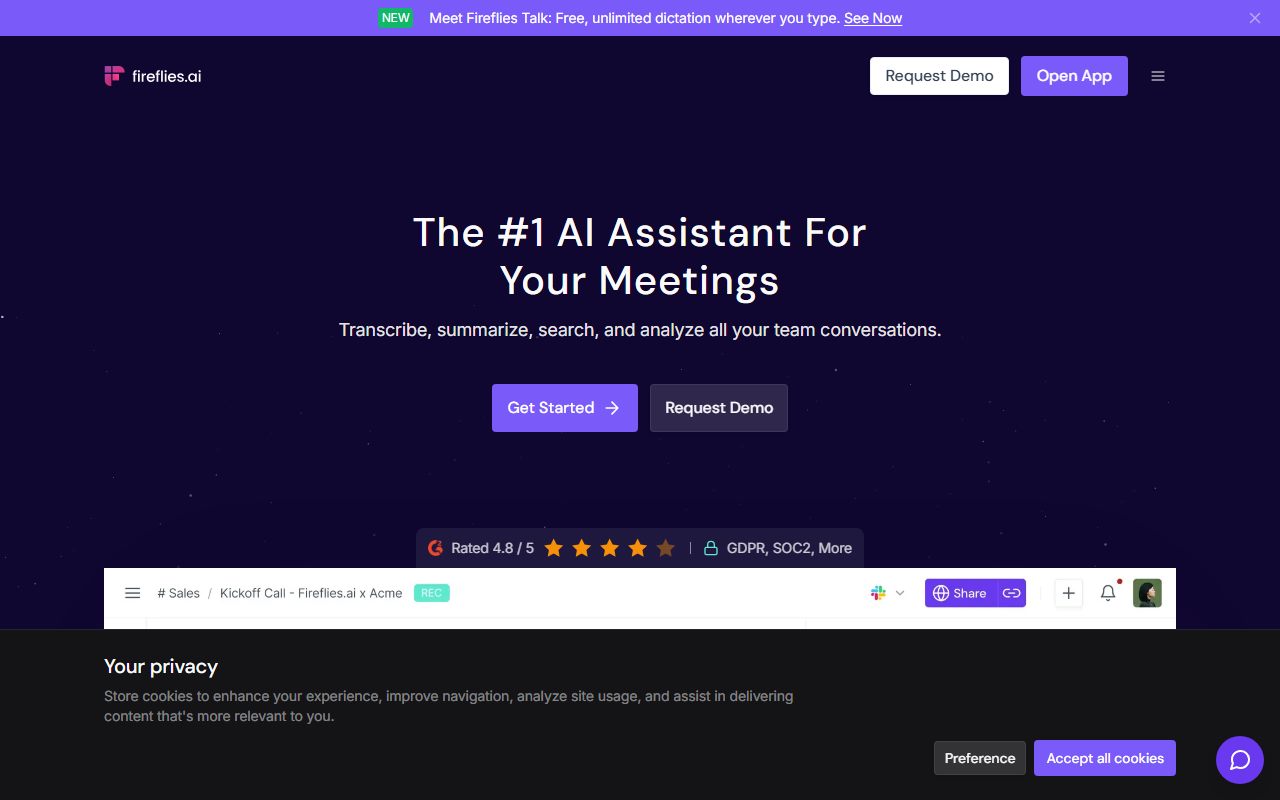
Fireflies.ai is a meeting recorder that sells its output by the seat rather than by the minute. A bot named Fred joins the call, records it, and produces a transcript, a summary, action items and a searchable archive.
The pricing logic follows from that. Transcription is unlimited on every paid plan.
What the tiers meter is how much audio you can keep, how long a single meeting can run, whether video is captured, and how many AI credits you get for the assistant features.
There are four ways in, per the pricing and integrations pages checked October 10, 2026. The bot joins Zoom, Google Meet, Microsoft Teams and 10+ other platforms.
A Chrome extension records Google Meet without the bot. A desktop app and mobile apps for Android and iOS cover the rest.
Around the transcript sit the AI features: AskFred, an assistant you can question about meetings; AI apps and skills on Pro; conversation intelligence and talk-time analytics on Business; a rules engine and audit logs on Enterprise.
This is a documentation review. We read the pricing page, the storage and rate-limits help article, the security page, the integrations page and Trustpilot on October 10, 2026. No account was opened for this page, so nothing here is a first-hand usage claim.
If you are deciding between this and Otter specifically, the shorter route is Otter.ai vs Fireflies.ai.
Who Fireflies.ai is best for
Fireflies suits teams whose problem is volume: many calls, long calls, or calls in several languages.
- Teams of three to twenty that meet daily, where unlimited transcription at $10 per seat on annual billing beats any minute-metered plan.
- Sales and customer-success teams that need notes in HubSpot, Salesforce or monday CRM and calls captured from OpenPhone, RingCentral, Aircall or Zoom Phone.
- Recruiters using Gem, Workable, Ashby or BambooHR, all named on the integrations page.
- Teams that run calls in more than one language, with 100+ languages listed and a Multi-language Mode on Business.
- Managers who want coaching data, since Business adds conversation intelligence and speaker talk-time analytics.
- Anyone who wants the video, which starts on Pro at 720p.
Who should skip it
Three kinds of buyers will be better served elsewhere.
- People who read along live. Otter's in-call transcript is the better design for glancing at the words as they land.
- Companies where most people only watch. Every Fireflies seat is paid; tl;dv's viewer seats are free, per its help center.
- Anyone counting on the free plan. 400 minutes of total storage across the team is a trial, not a tier.
What the free tier and each plan includes (as of October 2026)
Fireflies lists four plans. Figures are from the pricing page and the storage help article, checked October 10, 2026.
Free. Unlimited transcription with an asterisk the page does not expand, limited AI summaries, 400 minutes of storage for the whole team, 20 AI credits, a 2-hour recording limit, 720p video capture, and 100+ transcription languages.
Free also includes real-time notes, meeting search, AskFred in limited form, file uploads, the desktop and mobile apps, the Chrome extension and API access.
Pro. Unlimited transcription and AI summaries, 8,000 minutes of storage per seat, 20 AI credits, a 2-hour recording limit, and 720p video recording.
Pro adds downloads of transcripts, summaries and recordings, the Personal and Email Assistants, AI Skills, Voice Agents, an action-item task manager and unlimited integrations.
Business. Everything in Pro with unlimited storage, 30 AI credits, a 3-hour recording limit and 1080p video.
Business adds Multi-language Mode, conversation intelligence, team analytics for admins, public meeting access and user groups.
Enterprise. Everything in Business with 50 AI credits and a 4-hour recording limit. It adds a rules engine, SSO and SCIM, audit logs via API, HIPAA compliance, private storage, custom data retention, a transcript-plus-summary-only mode, a super admin role and a dedicated account manager.
What sits behind the paywall, then, is not transcription. It is keeping the audio, downloading it, and the assistant features that act on it.
How the pricing is structured
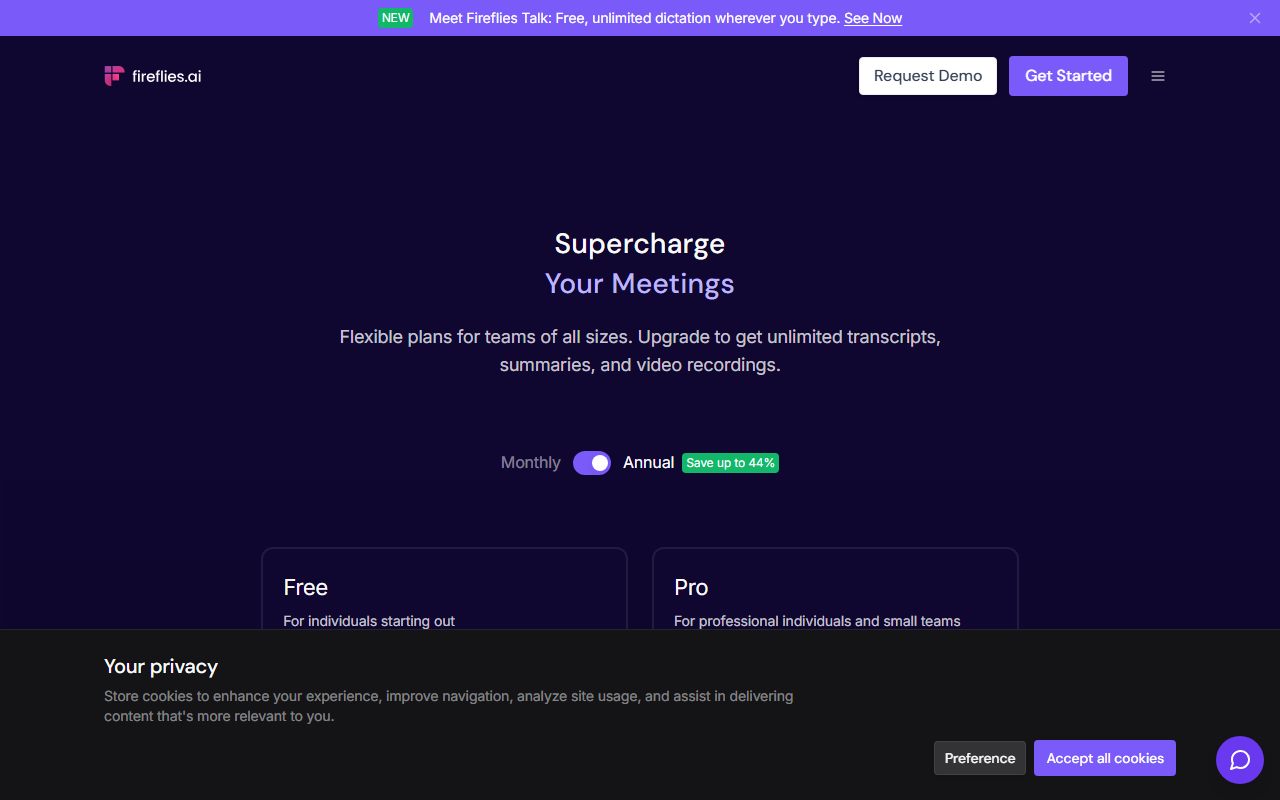
Fireflies bills per seat. The pricing page, checked October 10, 2026, lists Pro at $18 per seat monthly or $10 per seat per month on annual billing. Business is $29 monthly or $19 annual. Enterprise is $39 per seat per month and annual only.
The page's toggle labels the annual option as "Save up to 44%", which matches the Pro figures by our arithmetic: $10 against $18.
There is no stated seat minimum. The FAQ says buyers of more than 50 seats should contact sales for volume pricing.
For a team of ten, Pro on annual billing is $1,200 a year and Business is $2,280 a year, both our arithmetic from the listed prices. For five people, Pro is $600.
Storage is the figure to watch. The help article defines it as the total minutes you keep, not a monthly allowance. Pro's 8,000 minutes per seat is roughly 133 hours; Business removes the ceiling.
Uploads, API imports, Dropbox and OneDrive imports, dialer calls and past-meeting transcription share a separate rate limit: 3,000 minutes per source per month for individuals.
For teams that figure is multiplied by users and capped at 150,000 minutes per source. Overage is $0.01 a minute. Live bot meetings and Chrome extension recordings are exempt.
Annual plans renew. Before you downgrade, read how to get your data out before you cancel: Trustpilot reviewers report losing access to past meetings after a downgrade.
Ease of use: what the 4.0 is built from
The score rests on the breadth of entry points. A calendar connection sends the bot to every meeting; the Chrome extension records Google Meet without it; the desktop app covers anything else; and the mobile apps handle in-person.
The free plan needs no card, and the help center has 60 Getting Started articles and 148 on integrations, which is more onboarding material than either competitor publishes.
We held the score below Otter's for two reasons. First, there is no live transcript view to read during the call; the real-time notes are a side panel, not the product's centre.
Second, the free plan's storage ceiling means a new team hits a wall within days and has to understand the storage model before anything else.
If summaries come back vague, the fix is usually the request rather than the tool. Our note on how to ask an AI tool for what you want applies to AskFred as much as to a chatbot.
Features: what the 4.4 is built from
Fireflies has the longest feature list in this group, and most of it reaches Pro rather than being held for Enterprise.
The integrations page, checked October 10, 2026, claims 100+ apps and names CRMs (HubSpot, Salesforce, monday CRM, GoHighLevel, ActiveCampaign, Redtail), messaging (Slack, WhatsApp, Telegram, Discord, SharePoint), dialers (OpenPhone, Zoom Phone, RingCentral, Aircall), applicant tracking (Gem, Workable, Ashby, BambooHR) and storage (Snowflake, Amazon S3, OneDrive, Dropbox).
Pro gets unlimited integrations. Business adds conversation intelligence, topic trackers and talk-time analytics. Enterprise adds the rules engine, audit logs and private storage.
The AI layer is where the credits live. AskFred, AI apps, the Personal and Email Assistants, AI Skills and Voice Agents are listed by tier, with 20, 20, 30 and 50 credits across the four plans.
The page does not define a credit, which is the one place the documentation is thinner than we would like.
Video is the other differentiator. Otter's pricing page does not list video capture at all; Fireflies captures 720p from Free and 1080p on Business.
We stopped at 4.4 rather than higher because feature names on a pricing grid tell you what exists, not how well it works. For that we turn to users.
Value: what the 4.2 is built from
Per seat, Fireflies Pro is not the cheapest entry point. Otter Pro on annual billing is $8.33 per user against Fireflies' $10, both checked October 10, 2026.
Per minute transcribed, Fireflies wins quickly. Otter Pro stops at 1,200 minutes a month and 90 minutes per conversation. Fireflies Pro has no monthly cap and a 2-hour meeting limit. A team that meets five hours a week passes Otter's cap in week four.
At ten people the comparison tilts further. Otter Pro closes at five billed users, so ten people pay $19.99 each on Business; Fireflies Pro still costs $10 each. The year's difference is $2,398.80 against $1,200 by our arithmetic.
The value score is held back by storage. 8,000 minutes per seat is generous for one person, but a shared team archive of recorded calls grows fast, and the only cure is Business at nearly double the price.
The full table is in the best AI meeting note-takers for small teams.
Support: what the 3.6 is built from
Fireflies does not publish support tiers on its pricing page. There is no line for email, chat or priority support on any plan; only Enterprise lists a dedicated account manager, with an asterisk.
The help center is large and current, with categories for billing and refunds, migrations, the desktop app and security, and a specific article on cancelling.
Trustpilot reviewers, covered next, split on support: many praise fast resolutions, while a visible minority describe slow replies and an AI support bot standing in for a person.
With no published commitment to score against, 3.6 reflects a good knowledge base and an unpublished human tier.
What verified users report
Trustpilot showed a 4.5 TrustScore from 847 reviews when we read it on October 10, 2026, with 81 percent five-star and 13 percent one-star ratings. 367 of those reviews were from the last 12 months.
The recurring praise is ease of setup, accurate transcripts and summaries with clear action items, time saved, and the AI features and integrations.
The recurring complaints are slow or bot-driven support, unexpected charges after trials, downgrades that removed access to past meetings, upgrade prompts reading "0 meetings left" that reviewers found unclear, missed recordings, and multi-device login friction.
G2 and Capterra both returned access errors on October 10, 2026, so we quote neither.
The complaint about access after downgrade is consistent with the storage model: when the plan's storage ceiling drops, older meetings fall outside it. Export before you change plan.
Limits stated by the vendor, and privacy
Four limits are easy to miss on the pricing grid.
Recording length is 2 hours on Free and Pro, 3 on Business and 4 on Enterprise. The 3,000-minute monthly rate limit applies to uploads, imports and dialer calls, not to live bot meetings. Storage is cumulative, not monthly. Video is 720p until Business.
On privacy, the security page checked October 10, 2026 states certification for GDPR, SOC 2 Type II and HIPAA, 256-bit AES encryption for notes and transcripts at rest, TLS in transit, and a 0-day data retention policy with vendors and partners.
The same page says customer data is not used to train AI models by default. Enterprise adds private storage "at your preferred location" and custom data retention. The default hosting region is not named on the pages we read.
Supported playback speeds run from 1x to 3x. Transcription languages are listed as 100+, with Spanish, French, Portuguese and Italian named and others in beta.
Alternatives
Two tools answer the two most common objections to Fireflies.
Otter.ai. Choose Otter if you want the transcript on screen while people talk, or if you are one person with under 1,200 minutes a month, where Pro at $8.33 on annual billing is cheaper.
Otherwise choose Fireflies if your team is six or more or your meetings exceed 90 minutes. Our Otter.ai review and the Otter vs Fireflies comparison have the numbers.
tl;dv. Choose tl;dv if only two or three people record and twenty watch, since viewers cost nothing per its help center, or if EU data hosting is a requirement.
Otherwise choose Fireflies for the dialer and recruiting integrations and the longer meeting limits on Business. See our tl;dv review.
All three are ranked in the best AI meeting note-takers for small teams.
Bottom line
Fireflies.ai is the small-team default in this category as of October 2026. Unlimited transcription at $10 per seat per month on annual billing removes the one anxiety every minute-metered rival creates.
The costs are a storage ceiling on Pro, a 2-hour meeting limit until Business, and a support tier the vendor does not put in writing.
If your team meets more than it reads, buy Pro, export regularly, and move to Business only when the archive fills. If one person does all the recording, read our Otter.ai review first.
Visit Fireflies.ai
We have no affiliate relationship with this vendor. Link goes to the official site.